Leveraging Affiliate Management Tools
Whether you’re sending work to a trusted partner in another city—or receiving overflow from a local peer—affiliate relationships are essential to growing your service footprint. But without the right systems in place, managing these partnerships can lead to missed details, payment confusion, or service breakdowns.
Limo Anywhere includes built-in tools to help you manage affiliates more efficiently and professionally. Here’s how to get the most out of them.
1. Set Up Your Affiliate Profile
Your first step in managing affiliate relationships is making sure your information is complete in your LA Net Company Profile.
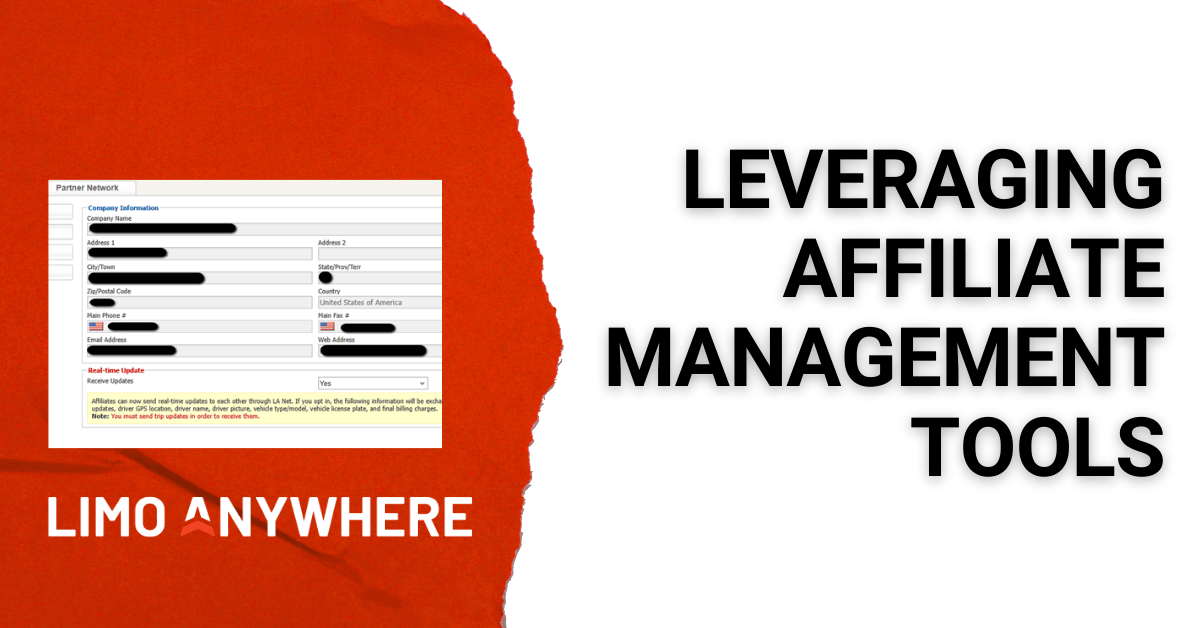
- Open the Network section and go to My Company Profile
- Set “Receive Updates” to Yes. Note: If you opt in, you’ll share status updates, driver GPS location, driver name and picture, vehicle type and license plate, and final billing charges. Both you and your affiliate must have updates enabled in LA Net for this information to flow between companies. If only one side has updates turned on, no status information will be exchanged
- Add all relevant contacts including names, emails, and phone numbers
- Update your service areas, fleet categories, billing preferences, coverage hours, and airport codes so they match your current operation
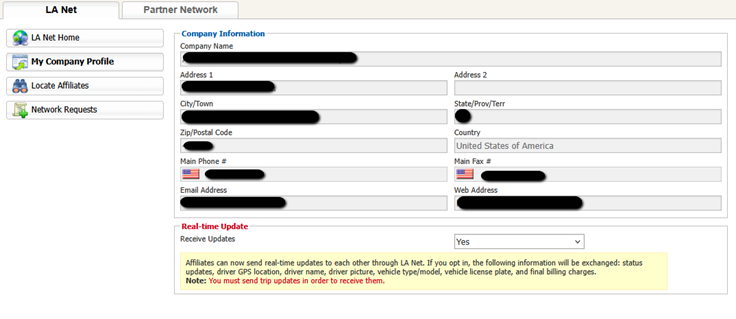
Having a complete profile makes it easier for affiliates to work with you in LA Net and keeps coordination smooth on every trip.
2. Add Affiliate Companies
When you accept an affiliate through LA Net, Limo Anywhere automatically creates two records for you: an Account in the Accounts section and an Affiliate entry in Company Resources. This means the affiliate is fully added to your system without any additional setup, and you can begin assigning trips and receiving status updates right away.
If an affiliate is not using Limo Anywhere, you’ll need to add them manually. That involves two steps:
- Create their company in the Accounts section so you can assign, bill, and track their trips
- Add them in Company Resources, within the Affiliates area, so your team can select them easily when farming out work
For affiliates outside Limo Anywhere, all confirmations, updates, and changes must be exchanged manually since LA Net status updates won’t apply.
3. Standardize Affiliate Communication Protocols
Don’t assume your affiliates know what you expect. Set clear communication standards up front, and revisit them as needed. Best practices include:
- Confirming receipt of the trip (and any updates)
- Notifying you of driver assignment and ETA
- Alerting you immediately if a delay or issue arises
Consider creating a one-page Affiliate SOP (Standard Operating Procedure) you can send to partners when onboarding or before major events.
Even if an affiliate doesn’t use Limo Anywhere, you can still streamline communication by using Scheduled Messaging. Setting up automated texts or emails for key milestones—such as confirming receipt of a trip, notifying the affiliate of important changes, or requesting driver assignment details—helps standardize expectations and reduces the risk of missed updates. This creates a consistent communication rhythm across all partners, whether they are on Limo Anywhere or not.
Pro tip: Use the “Trip Notes” field to capture key affiliate instructions for your chauffeurs and click “Add to T/S” to ensure they appear clearly on the trip sheet.
4. Track Affiliate Performance Consistently
When issues arise—late drivers, incorrect vehicles, or unprofessional behavior—it’s important to log those incidents. Use the Incident Log feature in Limo Anywhere to track affiliate-related problems, just as you would for your own trips.
Over time, this helps you:
- Identify which partners are reliable
- Know who’s trending in the wrong direction
- Decide who to favor (or avoid) for future work
Use this data in your monthly quality reviews or to inform affiliate scorecards.
5. Settle and Invoice with Clean Records
Affiliate trips can complicate billing if not tracked carefully. Best practices include:
- Settling trips promptly after completion
- Making sure affiliate pay amounts are correct in the Payables section
- Reviewing trip notes and rates before generating an invoice or issuing payment
If you’re receiving farmed-in trips, make sure any price updates are communicated quickly, and aim to settle those trips within 24–48 hours whenever possible. LA Net status updates are time-sensitive, and after a period of inactivity, updates may no longer sync between systems. Before invoicing an affiliate, confirm they have settled the trip on their end so you aren’t missing any final charges.
If you’re sending farm-out trips, review the affiliate’s final charges within that same 24–48 hour window so you can identify any additional items—such as parking, tolls, or wait time—that need to be billed to your client.
Final Thought:
Strong affiliate relationships can expand your reach and boost your revenue—but only if they’re managed with professionalism and precision. With the right setup and workflow in Limo Anywhere, you can send and receive trips confidently, knowing that communication, billing, and performance tracking are all in place.
Recent Posts
GroundXchange Self-Registration Is Now Live in Limo Anywhere
Wednesday February 18, 2026
CD/NLA Vegas 2026: Your Operator Game Plan for March 1–3 at MGM Grand
Wednesday February 18, 2026