Give customers another way to pay, securely collect ACH authorization, and support future billing workflows directly inside Limo Anywhere.
Why ACH Matters for Operators
Getting paid should be flexible, secure, and easier for both your team and your customers. ACH adds a practical payment option alongside credit cards, helping operators support direct bank payments, reduce friction in collections, and prepare for future billing workflows.
Offer More Payment Flexibility
Support customers who prefer to pay by bank account instead of credit card.
Support Future Billing
Collect ACH authorization now and keep payment details ready for later use.
Keep the Workflow Secure
ACH details are submitted directly by the account holder through a secure form, not manually entered by staff.
What’s New in Limo Anywhere
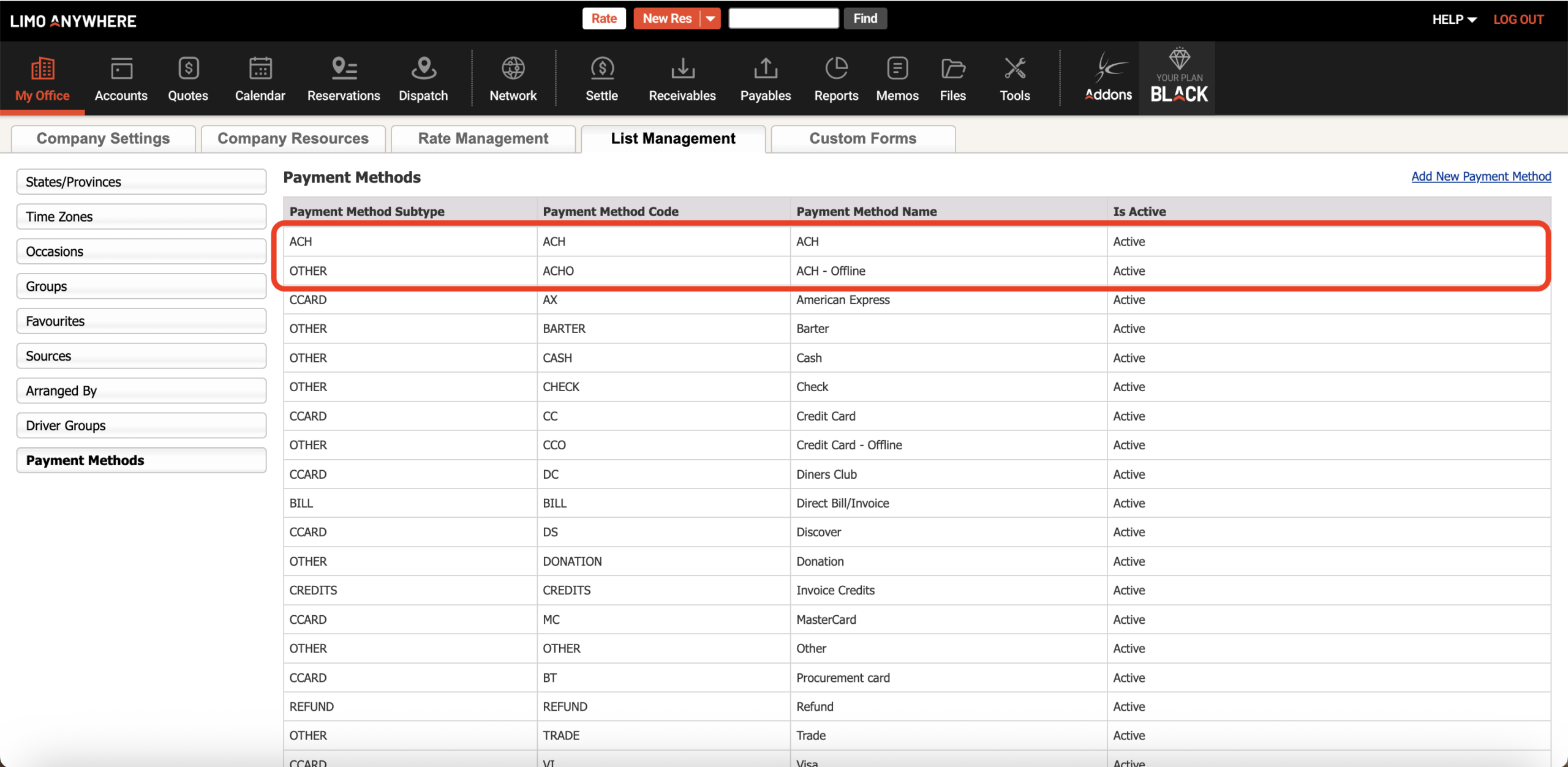
Operators with an established LA Pay merchant account can now use ACH functionality directly inside Limo Anywhere, making it easier to request payments and securely collect ACH authorization within the platform.
- ACH — used to process ACH transactions through the LA Pay gateway.
- ACH – Offline — used to record ACH transactions taken outside the system.
Use ACH Payment Request to Collect Payment Now
ACH Payment Request is designed for situations where you want to collect payment for a specific reservation, account balance, or invoice. Operators can send the request from Reservation, Account, and Invoice payment terminals by selecting ACH and choosing Request a Payment.
- Select ACH in the payment terminal.
- Choose “Request a Payment” to send the ACH request.
- The customer receives an email with a secure link to the ACH Authorization form.
- The account holder enters bank information directly, including account type, account number, routing number, and account name.
- The payment is submitted to the processor and the customer receives a confirmation page and receipt.

Customers Can Choose Whether to Save ACH Details
During the ACH payment flow, customers can submit payment information for this transaction only or choose to save their ACH details for future payments.


Use ACH Info Request to Collect Authorization for Future Payments
ACH Info Request is built for operators who want to securely collect ACH details now without processing a payment immediately. This is useful when you want bank authorization on file for future billing.
- Select ACH in the payment terminal.
- Choose “Request ACH Info” to send the secure request.
- The customer receives an email with a secure link to an ACH Standing Authorization form.
- The account holder enters the ACH details directly.
- The ACH information is saved to the account for future use, without charging the account at that moment.


What Operators Should Know About ACH Returns
ACH does not work exactly like a credit card transaction. With credit cards, operators usually know right away whether the payment was approved. With ACH, the transaction is submitted to the clearinghouse and may take several business days to fully process.
That means a submitted ACH payment can later fail or be rejected. When that happens, it is called an ACH return.


Final Thoughts
If you already use LA Pay, ACH gives your team another practical way to collect payments, support customer preferences, and build more flexible billing workflows inside Limo Anywhere.
Whether you need to request payment now or securely collect authorization for later, ACH helps expand the ways operators can get paid while keeping the process customer-authorized and secure.