Managing Wait Time in Limo Anywhere
Wait time allows your operation to account for additional time when a chauffeur is on site for a trip and the client is not on board within the defined grace period. When configured correctly, it supports consistent billing, fair compensation, and reduces the need for manual post-trip adjustments.
Setting Up Wait Time in Limo Anywhere
- Click the "My Office" icon in the navigation bar
- Navigate to the “Company Settings” tab
- Select “Company Preferences” from the left-hand menu
- Click the “DriverAnywhere” button
You will find Wait Time listed under the Rate in DA section. Make sure it is mapped to the appropriate rate using the dropdown.
From there you can set the dollar amount that you would like to charge per minute for each of your vehicles.

Next, configure your grace periods. Grace periods define how long a chauffeur can wait after the scheduled pickup time before wait time becomes billable. These can be set separately for:
- non-airport pickups
- domestic airport arrivals
- international airport arrivals
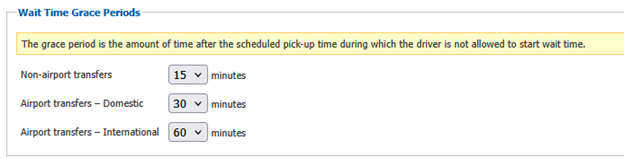
NOTE: Grace periods are enforced automatically by the system and cannot be overridden by the chauffeur from DriverAnywhere.
Once you are done making changes to your wait time configuration, scroll to the bottom of the page and click “Update My Company Preferences” to apply your updates.
Applying Wait Time in DriverAnywhere
Wait time is started and stopped by the chauffeur through DriverAnywhere, based on trip status. After arriving on location and updating their trip to “Arrived”, “On Location”, or another status mapped to Driver Is Waiting at Pickup in your workflow, the chauffeur will see the option to start wait time. If the grace period has not yet expired, DriverAnywhere will prevent the timer from starting and display a message indicating the trip is still within the grace window.
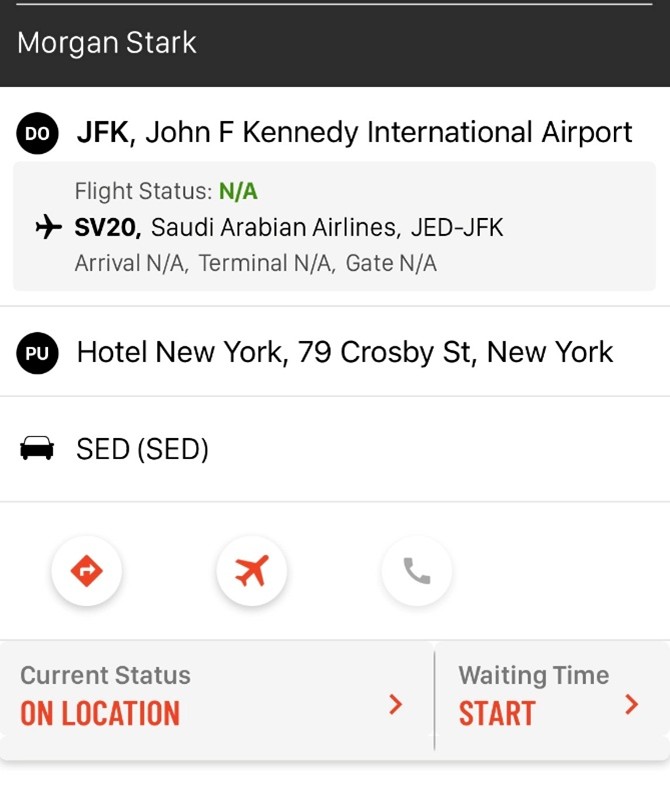
Once the grace period has elapsed, the chauffeur can start the wait timer manually.
Wait time can be stopped in one of two ways:
1. Select “STOP” on the active wait timer

2. Change the trip status to the next status in your workflow (ex. passenger on board, customer in car, etc.)
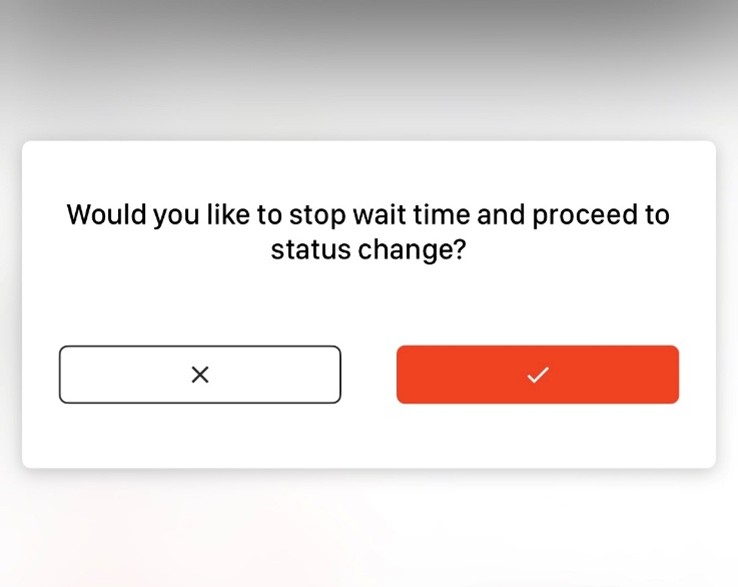
In either case, the system records the elapsed wait time and applies the corresponding charge to the reservation.
When wait time is set up correctly, it helps keep billing and payroll aligned with actual trip timing, especially when delays are outside of the chauffeur’s control. It also cuts down on manual cleanup after the fact.
Because wait time is applied based on system rules instead of judgment calls, charges are more consistent from trip to trip and easier to explain when questions come up. Periodically reviewing your rate mapping, grace periods, and how chauffeurs are using wait time can help ensure everything continues to work as expected.
If you have questions about configuring wait time or want help reviewing how it’s set up in your system, the Limo Anywhere Support team can assist. Support is available from 7 AM to 7 PM CT and can be reached by phone at 972-701-8887 ext. 2 or by email at Support@LimoAnywhere.com.
Recent Posts

Be Ready for Anything: Emergency Preparedness with Limo Anywhere
Friday January 30, 2026
Why Taking This Industry Survey Could Shape Your Business in 2026 (and Beyond)
Monday January 26, 2026