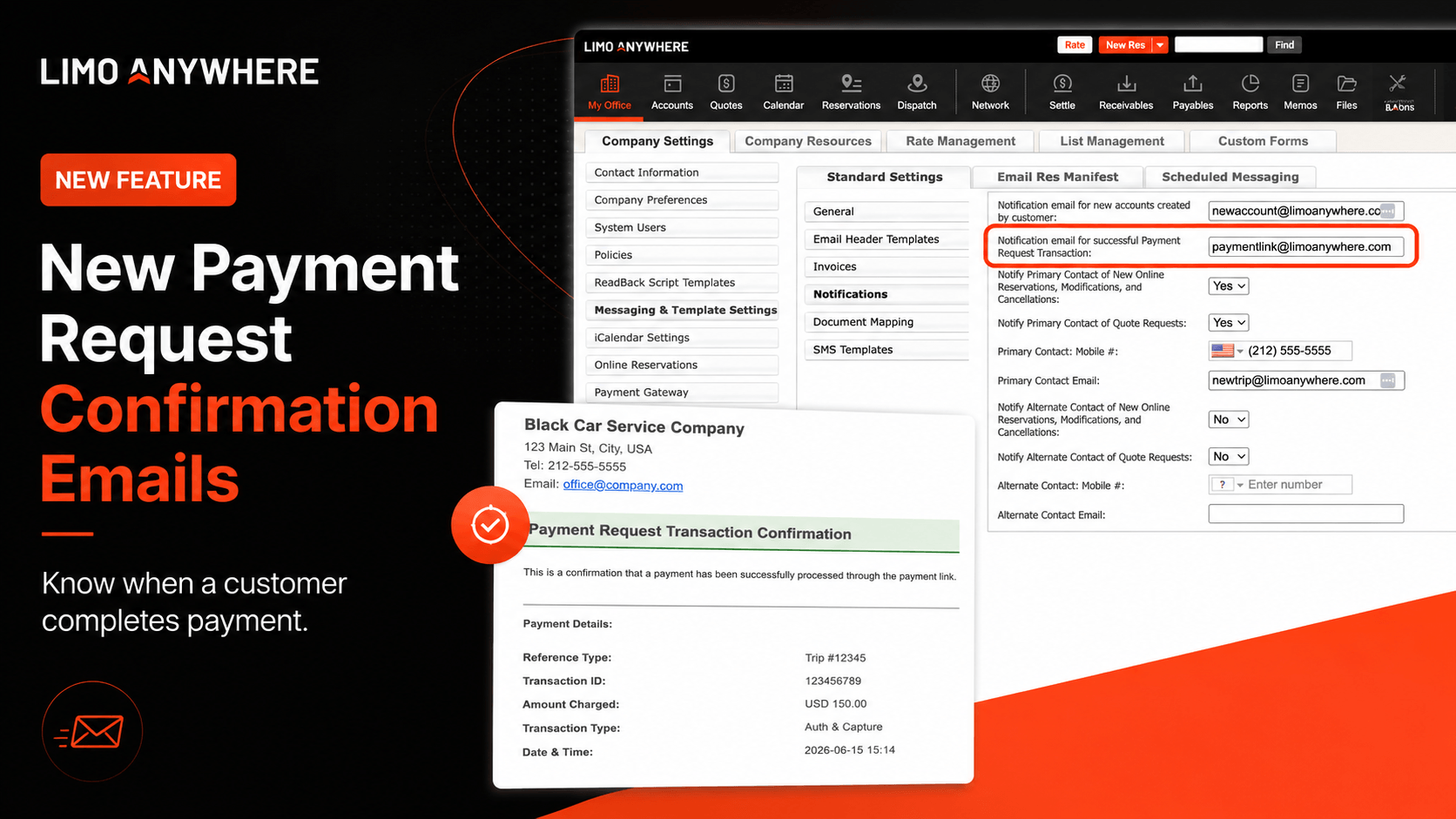
Operators can set the notification email address in Company Settings and receive an email when a payment request transaction is successfully processed.
What changed: When a customer successfully completes payment through a payment request link, Limo Anywhere can now send an automatic confirmation email to the notification address selected in Company Settings.
Payment request links make it easier to collect payment on unpaid trips, but operators previously had to return to the trip manually to confirm whether the customer completed payment.
This update closes that loop. When a payment request transaction is successfully processed, Limo Anywhere can now send an email confirmation to the operator or team member responsible for monitoring completed payments.
Why This Matters
Previously, the payment request workflow worked well for the customer, but it created extra follow-up for the operator.
Previous Workflow
- The operator sent a payment request link for an unpaid trip.
- The customer entered a credit card and submitted payment.
- The card was charged and the trip status changed to paid.
- The operator still had to manually check the trip to confirm payment was completed.
New Workflow
- The customer completes payment through the payment request link.
- The transaction is processed successfully.
- The operator receives an email confirmation automatically.
- The team has faster visibility without checking each trip manually.
What’s New
Operators can now receive an email when a payment request transaction is successfully processed.
Once the customer submits payment and the transaction goes through, Limo Anywhere sends a confirmation email to the designated notification address.
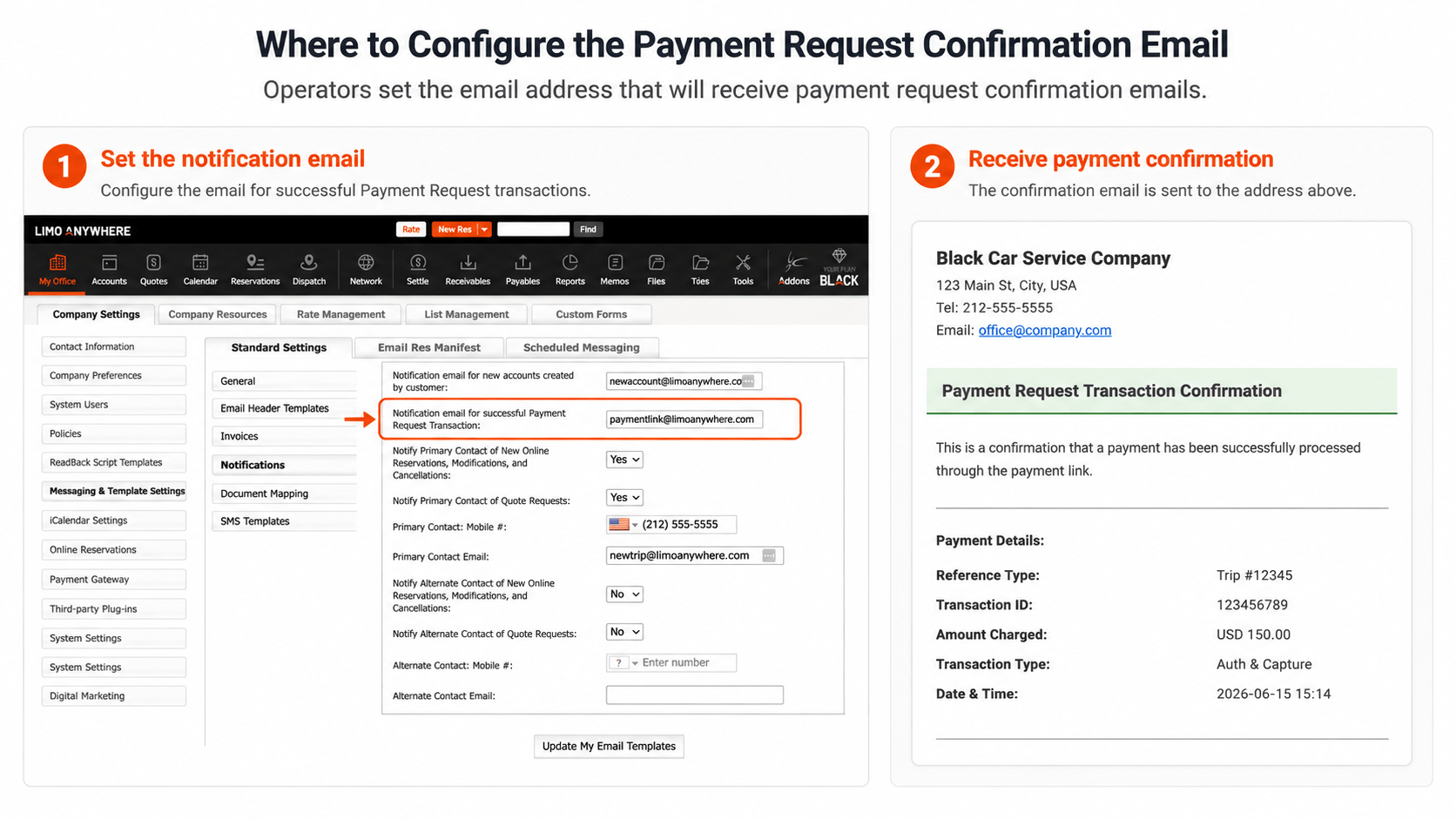
The confirmation email includes key transaction details
How It Works
Operator sends the payment request
The operator sends a payment request link to the customer for an unpaid trip.
Customer completes payment
The customer opens the link, enters their credit card information, and submits payment.
Transaction is successfully processed
Once the transaction is successful, the credit card is charged and the trip status changes to paid.
Operator receives confirmation
Limo Anywhere sends an email confirmation to the notification email address selected in Company Settings.
Where to Set the Notification Email Address
Operators can specify where payment request confirmation emails should be sent inside their Limo Anywhere settings.
From there, update the field labeled Notification email for successful Payment Request Transaction.
This is the email address that will receive the payment request transaction confirmation when a customer completes payment through a payment link.
After entering or updating the email address, select Update My Email Templates to save your changes.
Best practice: Use a monitored shared inbox, such as a billing or reservations email address, instead of an individual employee’s email address when possible. This helps ensure payment confirmations are seen by the right team member, even if someone is out of the office.
A Better Payment Follow-Up Workflow
This update is designed to make payment collection easier to manage and reduce the amount of manual checking required after payment requests are sent.
Instead of wondering whether a customer completed payment, operators can now receive a direct email confirmation when the payment request transaction is successfully processed.
That means less time checking individual trips, better visibility into completed payments, and a smoother workflow for operators and their teams.
Need Help Updating Your Notification Settings?
If your team uses payment request links, take a minute to confirm that the correct notification email address is saved in your Limo Anywhere settings. This helps ensure payment confirmations are routed to the right person or shared inbox.
Note: Availability and configuration options may vary by account setup. Contact Limo Anywhere support if you need help locating or updating your notification settings.