Build a cleaner dispatch workspace around the way your team works. Save the views you use every day, spot trips that need attention, and keep key details closer to the action.
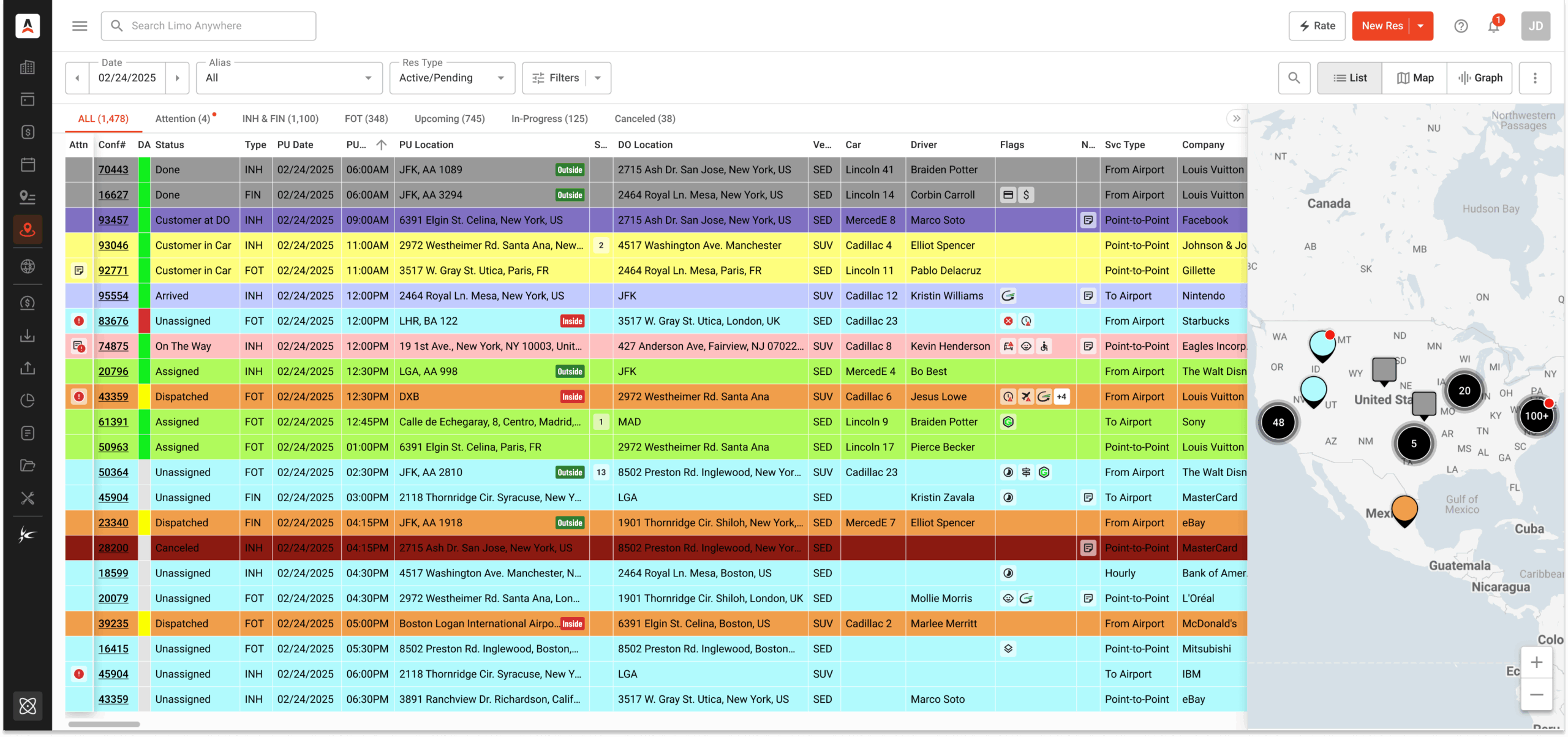
The New Dispatch Grid helps your team organize reservations around real workflows instead of rebuilding the same searches, filters, and layouts throughout the day.
Create presets and tabs for recurring work, then return to them without refiltering the grid every time.
Use Attention Flags and focused views to help your team see reservations that need follow-up before they become problems.
Review trips, map/list views, driver and car details, and key dispatch actions from a cleaner working screen.
A better grid does not have to mean a big change. Start by creating one saved view your team will use every day.
Keep active reservations easy to review from the start of the day through closeout.
Surface trips with outstanding balances so your team can follow up before pickup or closeout.
Review affiliate reservations, status, driver details, vehicle details, and execution in one focused view.
Create a dedicated view for high-priority accounts so service details stay visible.
See trips assigned to a vehicle or vehicle type to support scheduling and utilization review.
Save filtered views for the tasks your team repeats every day. Then organize those views into tabs so dispatchers, billing teams, and managers can get to the right information faster.
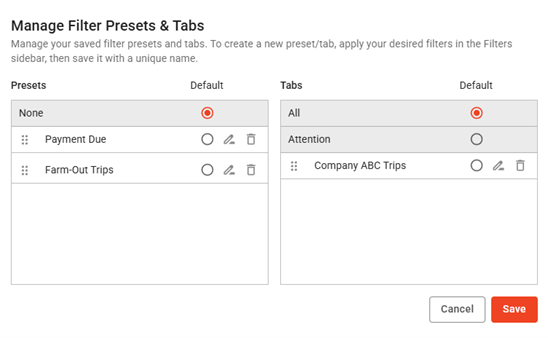
Build views around the situations your team needs to monitor most: unpaid trips, affiliate work, VIP service, vehicle-specific schedules, last-minute changes, or trips with missing details.
Help dispatchers identify trips with special handling needs, missing information, or follow-up items.
Review location context and reservation details without losing the working grid view.
Update key fields across selected trips when the day changes quickly.
Start with a single workflow. Once that view is useful, add more presets and tabs for the rest of your operation.
Use the New Dispatch Grid to keep more operational context close to the work your team is already doing.
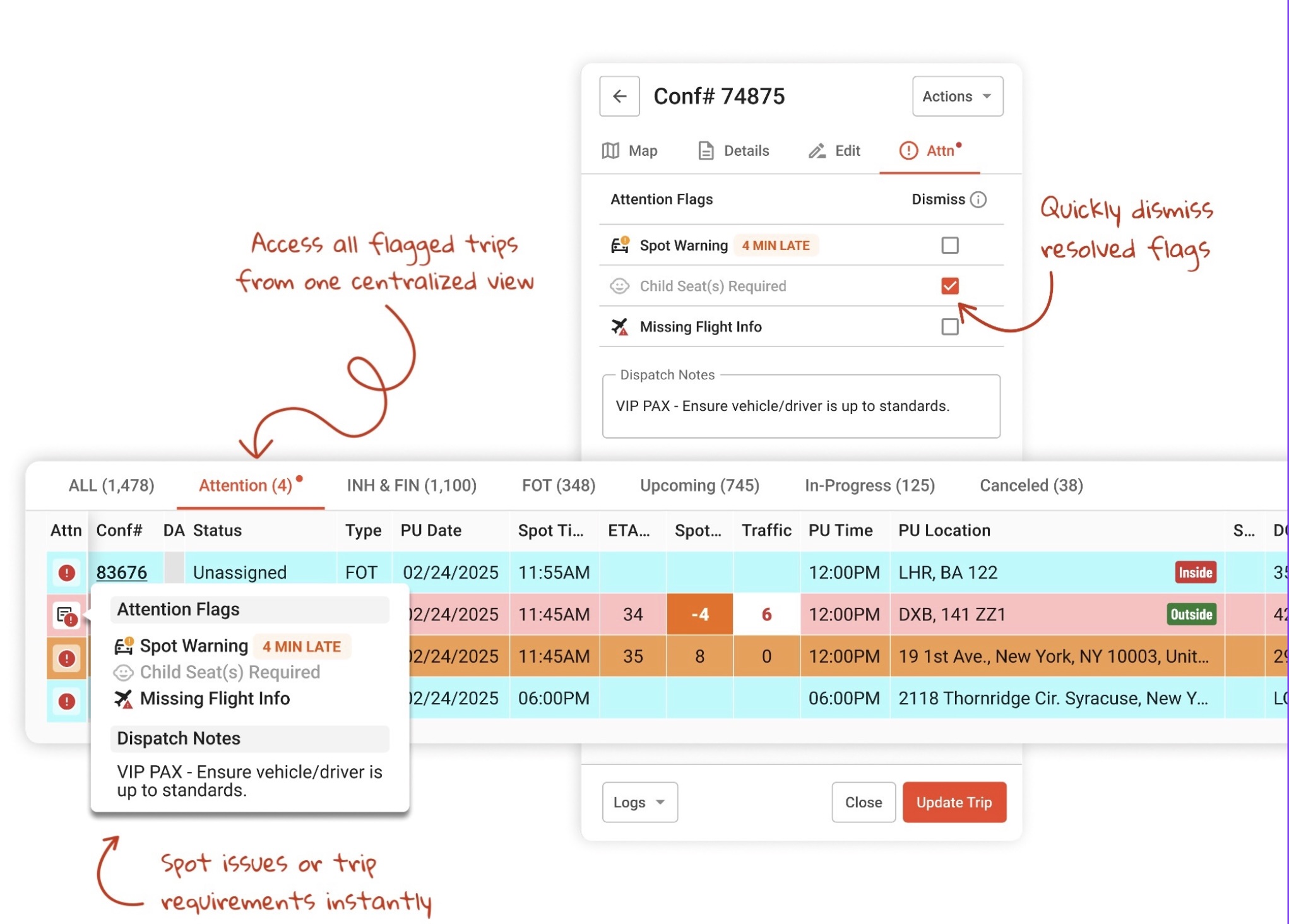
Attention Flags help bring special handling trips, missing details, and important follow-ups into view.
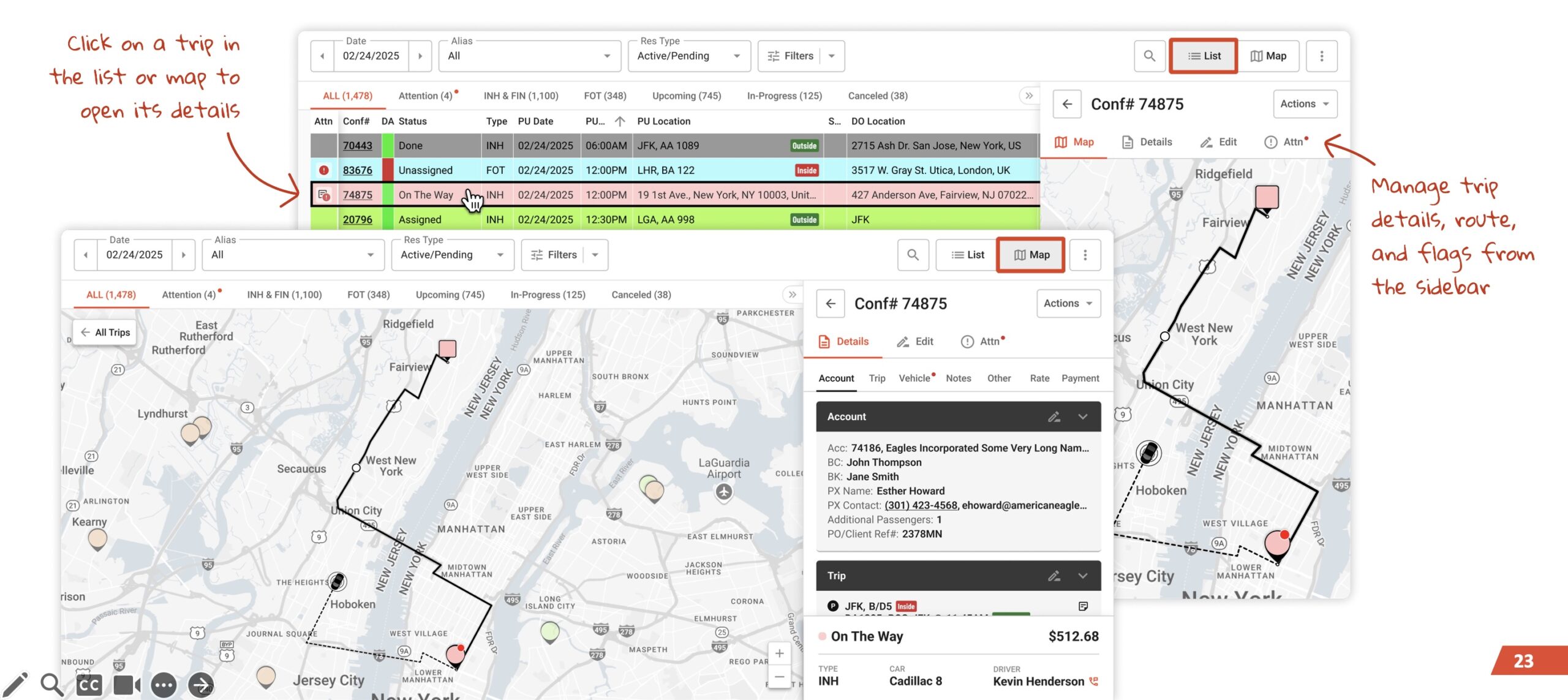
Move between list and map views to understand the day’s work without jumping between disconnected screens.
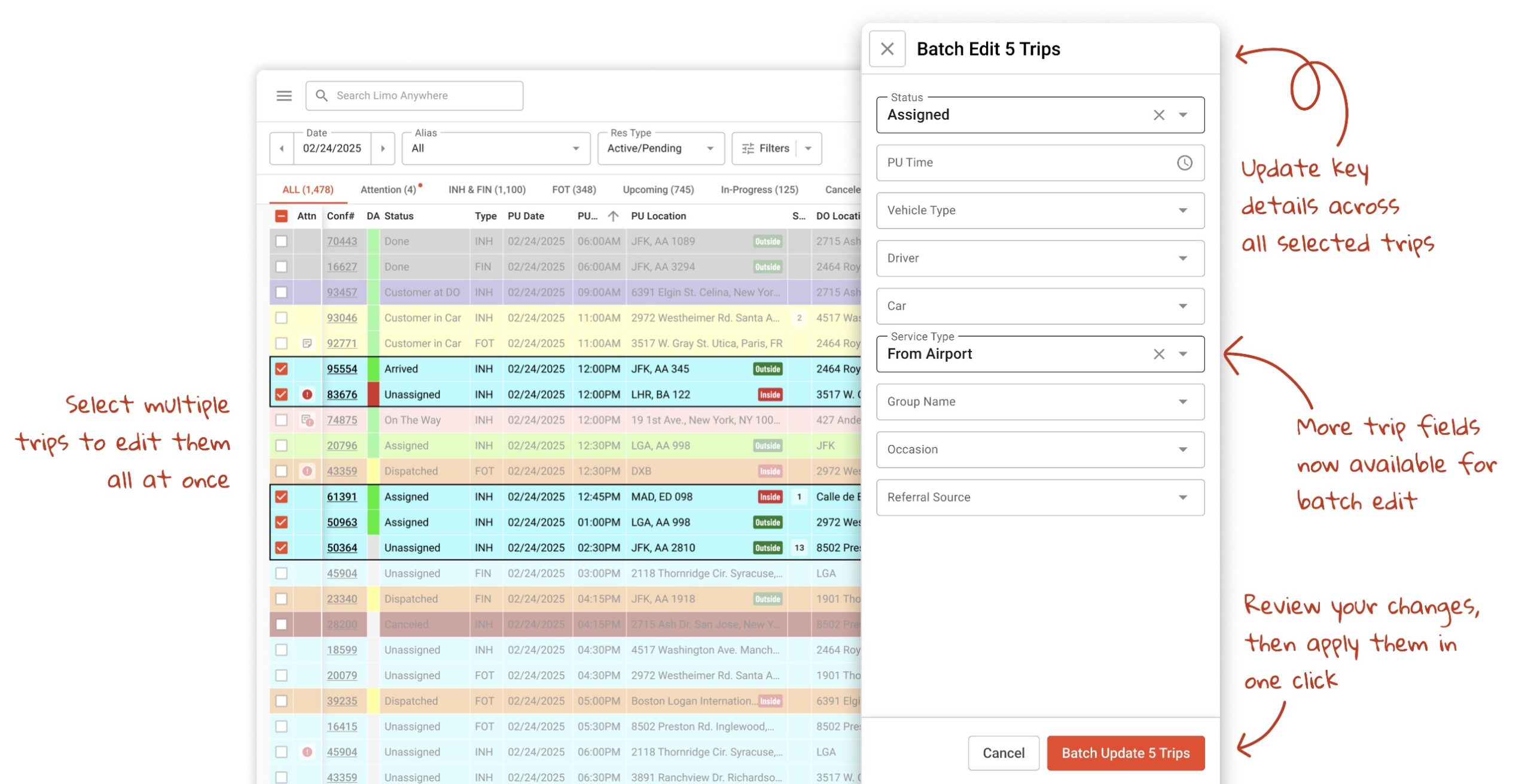
Batch edit helps your team handle schedule, driver, vehicle, service type, and other changes faster.
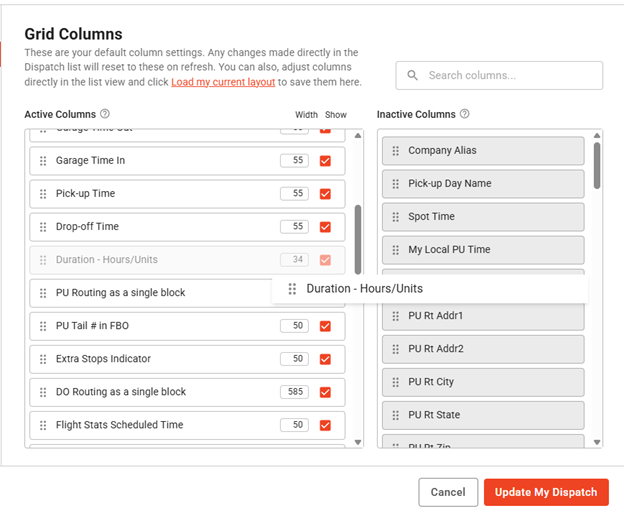
Choose the columns that matter, hide the ones that do not, and save the layout your team actually uses.
Start with one daily workflow your team already checks often, such as Today’s Trips, Payments Due, Farm-Out Trips, VIP Clients, or a Vehicle-Specific view.
No. Start small. Customize a few columns, apply one useful filter, save it as a preset or tab, and build from there.
Yes. Dispatch, billing, reservations, and management can organize the grid around the work they need to review most.
Use presets for saved filtered views. Use tabs for workflows your team returns to every day, such as billing, affiliate review, or VIP monitoring.
Create your first saved view in New Dispatch and build a grid around the way your team works.
Set Up Your Grid →