Best Practices: Creating Trip Sheets That Work
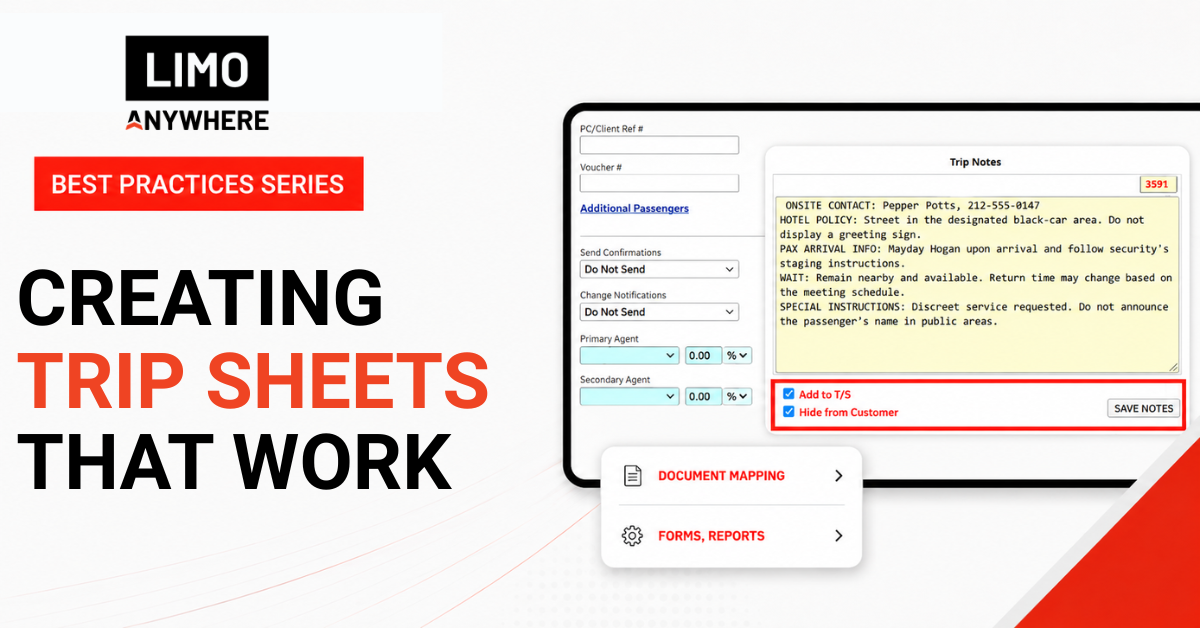
A chauffeur’s ability to deliver excellent service depends heavily on the information they receive before the trip begins. Even an experienced chauffeur can struggle when instructions are vague or the most important details are buried in a long block of notes.
The basic reservation information should already be entered in its designated fields within Limo Anywhere. That includes accurate contact information, pickup times, routing, passenger and luggage counts, vehicle type, and Service Type.
The greatest opportunity to improve the Driver Trip Sheet lies in how your team uses Trip Notes, including what they add, how they format it, and whether they select Add to T/S and Hide from Customer.
A good trip sheet gives the chauffeur the additional context needed to understand what is happening, what is expected, and what requires special attention.
1. Use Trip Notes to Explain What the Fields Cannot
Trip Notes should provide operational context that does not already have an appropriate place elsewhere in the reservation.
The routing may show the chauffeur where to go, but the Trip Notes can explain where to stage at a large venue. The passenger field identifies who is riding, but the notes can identify an onsite contact or explain that the passenger is part of a larger group.
Useful Trip Notes might include:
- Staging or loading instructions
- The correct venue entrance
- An onsite contact
- Passenger assistance needs
- Instructions for schedule changes
- Who is authorized to approve changes
Specific language is more useful than a general reminder. Instead of “Pickup at convention center. Call contact when there,” consider:
STAGING: West entrance on Illinois Street
CONTACT: Maria Lopez, 555-555-1212
INSTRUCTIONS: Contact Maria upon arrival before approaching the entrance.
Trip Notes should not repeat information that already appears clearly elsewhere. Use them to answer the questions the chauffeur would otherwise have to ask dispatch.
Pro Tip: Before adding something to Trip Notes, ask whether it already has a designated field. Use Trip Notes for the context those fields cannot provide.
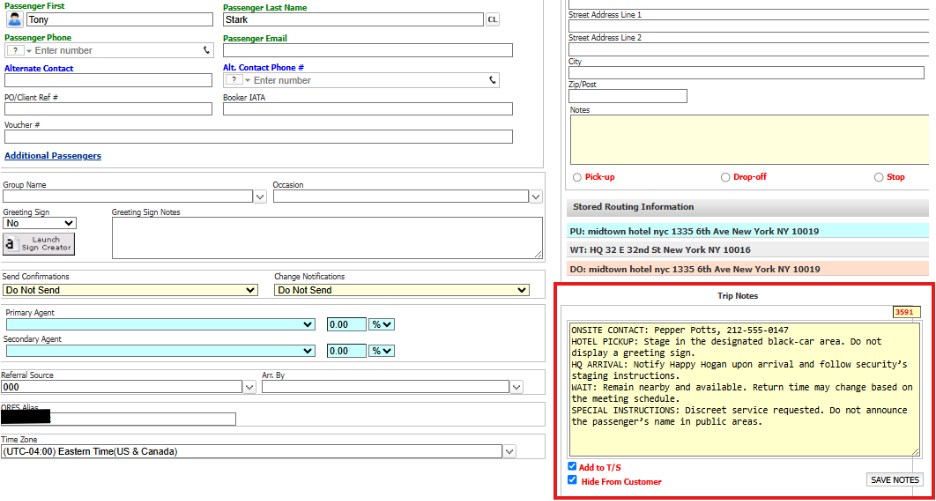
2. Understand “Add to T/S” and “Hide from Customer”
Entering a Trip Note does not automatically mean it will appear everywhere you need it.
The Add to T/S selection controls whether Trip Notes are included on Limo Anywhere-generated Driver and Customer Trip Sheets. The Hide from Customer selection prevents those notes from appearing on the Customer Trip Sheet.
In practice:
- Select Add to T/S when the chauffeur or customer needs the information on the trip sheet.
- Select both Add to T/S and Hide from Customer when the chauffeur needs the information but the customer does not.
- Leave Add to T/S unselected when the notes should remain in the reservation without appearing on the generated trip sheets.
Pickup instructions or an agreed-upon itinerary may be appropriate for both the chauffeur and customer. Internal staging directions, dispatch instructions, or operational reminders may belong only on the Driver Trip Sheet.
Operators can establish defaults for these selections in Company Preferences and adjust them on individual reservations. Choose defaults that support your most common workflow, but make sure team members understand when a particular reservation requires something different.
Even notes hidden from the customer should remain factual and professional. Hide from Customer controls visibility, but the note remains part of the business record.
Pro Tip: Train reservationists to consider two questions: Who needs this information, and where should it appear?
3. Make Important Information Easy to Find
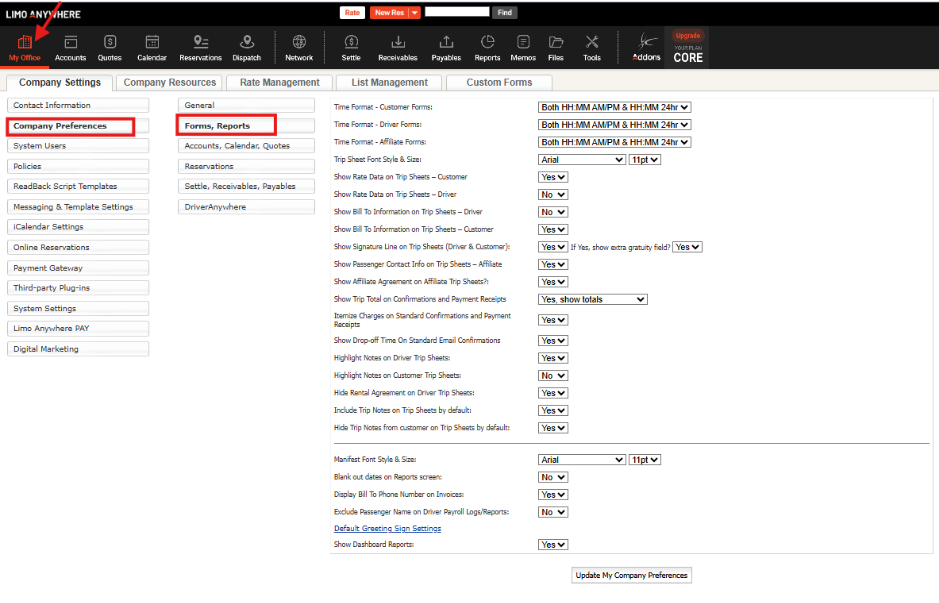
A chauffeur may review Trip Notes from a phone while preparing for an assignment or moving between trips. Formatting can determine whether important instructions are immediately visible or buried in a dense paragraph.
When several instructions are included, separate them into short lines and use consistent labels:
CONTACT: Maria Lopez, 555-555-1212
STAGING: West entrance
SIGN: Cooper Group
SPECIAL INSTRUCTIONS: Contact Maria before approaching the entrance.
Place safety-related and time-sensitive information first. Passenger needs, staging instructions, and other critical expectations should not appear at the end of a long paragraph.
A few simple standards can make notes easier to use:
- Keep sentences and paragraphs short.
- Use consistent labels for common information.
- Spell out unfamiliar abbreviations.
- Use capitalization selectively.
- Remove outdated or conflicting instructions.
More information does not automatically create a better trip sheet. Repeated addresses, old notes, or unnecessary background details can make the information the chauffeur needs harder to find.
Pro Tip: Create a short Trip Notes formatting guide with your company’s preferred labels and abbreviations. Consistency helps chauffeurs know where to look.
4. Adjust the Details for the Service Type
Different types of service require different information.
For an airport arrival, the chauffeur may need complete flight information, meet-and-greet instructions, greeting-sign wording, and direction on when to meet the passenger in relation to the flight’s arrival.
A wedding may require a planner’s contact information, vehicle placement, wedding-party assignments, and timing instructions.
A corporate roadshow or hourly charter may require a detailed stop sequence, wait instructions, building-access information, and guidance for handling schedule changes.
Your Trip Notes do not need to answer every possible question for every trip. A better approach is to develop a short checklist for your company’s most common Service Types. That helps reservationists collect the right details without relying on memory.
Pro Tip: Review the questions chauffeurs regularly ask for each Service Type. Those questions can help you build better reservation checklists.
5. Customize and Test the Driver Trip Sheet
Limo Anywhere provides a standard Driver Trip Sheet, along with options for creating custom forms and selecting default documents through Document Mapping.
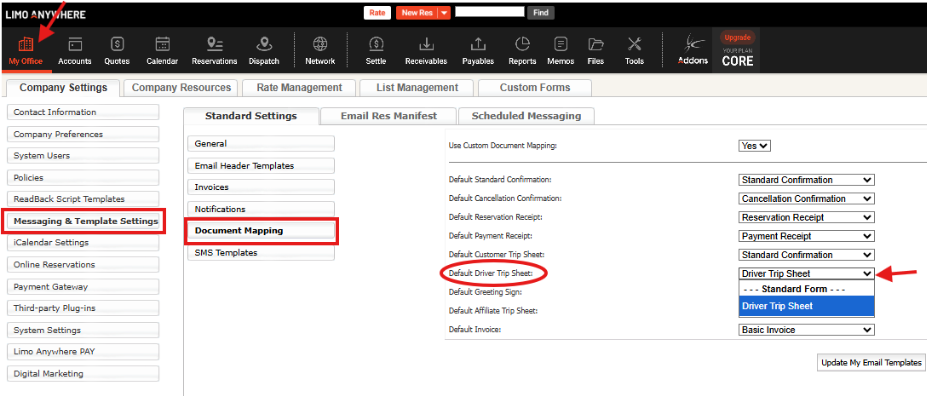
Depending on your operation, you may want to adjust:
- The order and placement of trip details
- How routing and Trip Notes are displayed
- Which contact information appears
- Whether rate information or the rental agreement is included
- How much space is given to special instructions
Once a form is created or updated, test the actual output. Preview a few different reservation types, including an airport transfer, an hourly trip, and a reservation with multiple stops or extensive notes.
Review the form in the format your chauffeurs use. A trip sheet that looks clear on a desktop may be difficult to scan on a phone. Longer names, multiple stops, and extensive notes can also affect the layout in unexpected ways.
Pro Tip: Test the Driver Trip Sheet with one deliberately complicated reservation. If the important details remain easy to find, the form will likely serve simpler trips well.
6. Build Trip-Sheet Quality into Your Process
A well-designed form cannot compensate for incomplete or poorly organized reservation information.
Team members who enter or edit reservations should understand:
- Which information belongs in each field
- How Trip Notes should be formatted
- When to select Add to T/S
- When information should be hidden from the customer
- Which details are required for common Service Types
- How to preview the Driver Trip Sheet
Chauffeur feedback should also be part of the process. If chauffeurs repeatedly contact dispatch for the same missing information, that detail may need to become part of your reservation-entry standards. If they regularly overlook an instruction, its placement or formatting may need attention.
Before the trip, conduct a brief final review. Make sure the notes are clear and current, the visibility settings are correct, and outdated information has been removed. Pay particular attention to reservations that were copied, revised several times, or created far in advance.
Pro Tip: Before releasing the trip, ask whether a chauffeur who has never spoken with the client could understand what successful service looks like.
Make the Handoff Count
The trip sheet is the handoff between the people who planned the reservation and the chauffeur responsible for delivering the service.
When that handoff is clear, the chauffeur can prepare with confidence, dispatch receives fewer avoidable questions, and the passenger experiences a more polished and consistent operation.
Building a better trip sheet does not necessarily require adding more information. It requires using Trip Notes purposefully, controlling who sees them, and presenting the details in a way the chauffeur can use.
A few thoughtful adjustments to your notes, settings, forms, and training can turn the Driver Trip Sheet from a record of the reservation into a practical guide for delivering it well.
Recent Posts

Why Customers Still Call Instead of Booking Online
Friday September 18, 2026
See Limo Anywhere Plus & Black in Action: Webinar Replay
Thursday September 17, 2026