Be Ready for Anything: Emergency Preparedness with Limo Anywhere
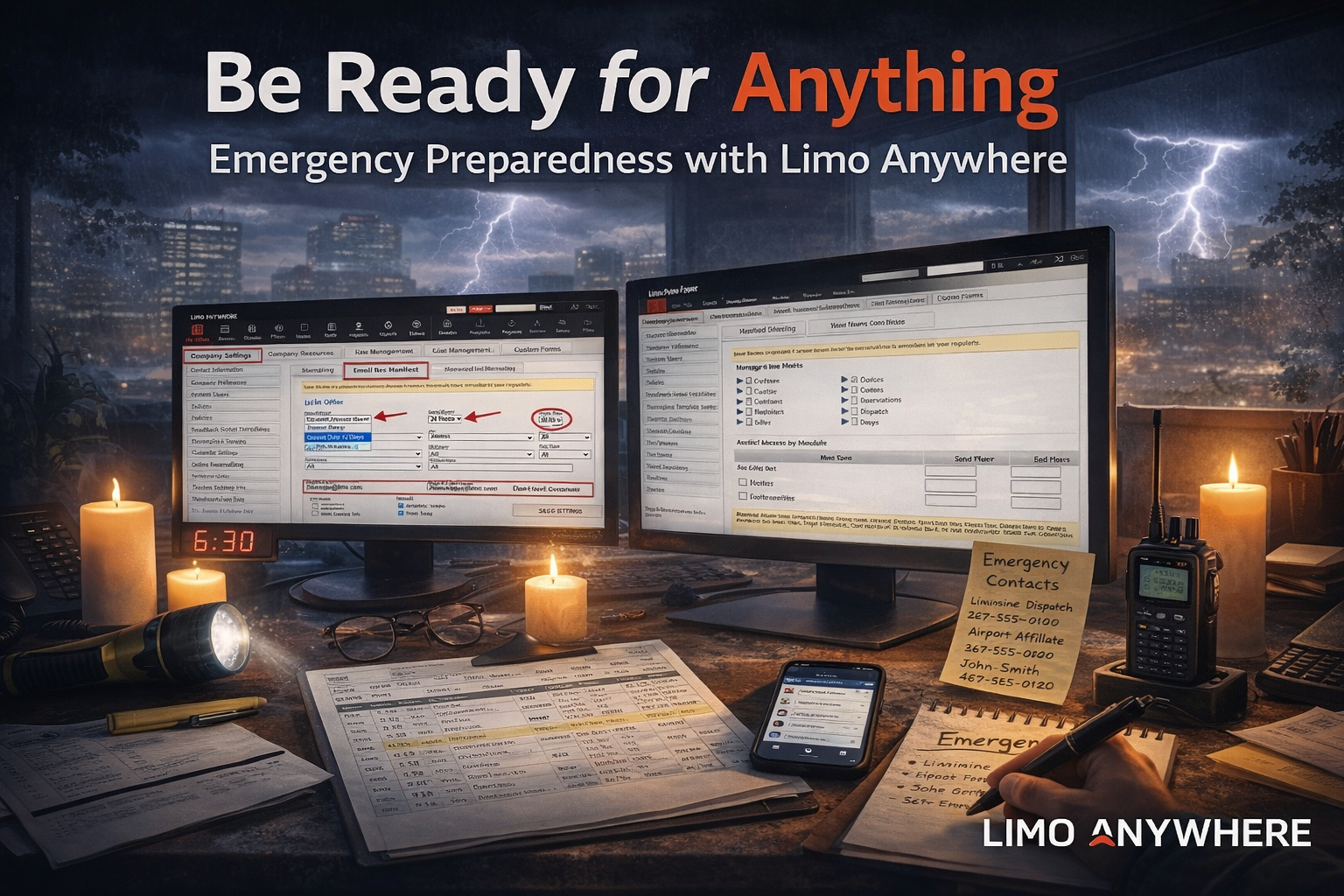
Even the best-run operations encounter occasional disruptions—whether it’s a power outage, internet downtime, or software access issue. For ground transportation companies, where timing is critical and clients expect seamless service, a sudden disruption can quickly become a crisis.
Fortunately, with a little planning and some built-in tools from Limo Anywhere, you can ensure your team stays informed and your service stays on track, even when the unexpected happens. Here’s how to build business continuity into your workflow.
1. Set Up Your Automated Email Reservation Manifests
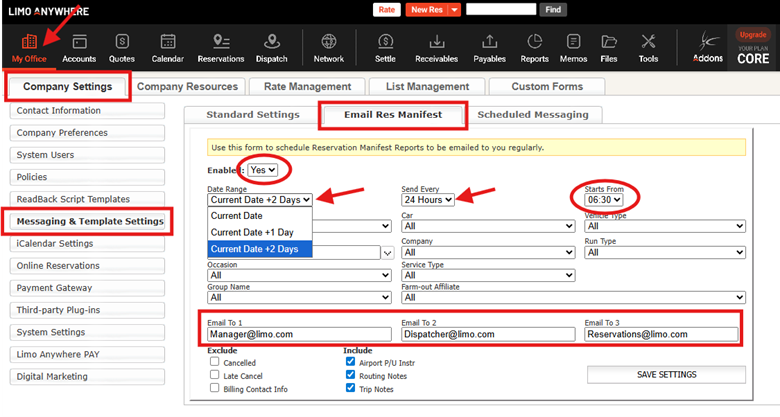
One of the simplest ways to stay prepared is to set up automatic Email Reservation Manifests through Limo Anywhere.
This feature allows you to:
- Schedule regular emails (every 2, 4, 6, 8, 12, or 24 hours) with upcoming reservation details.
- Choose how many days of future reservations are included, and customize certain data filters.
- Send the manifest to key team members, such as dispatchers or managers.
If your system becomes inaccessible, you’ll still have essential information at your fingertips, including pickup times, driver assignments, passenger contacts, and service notes.
Pro Tip: Review the manifest format with your team so everyone is confident in reading and using it during emergencies.
2. Assign Emergency Access Roles
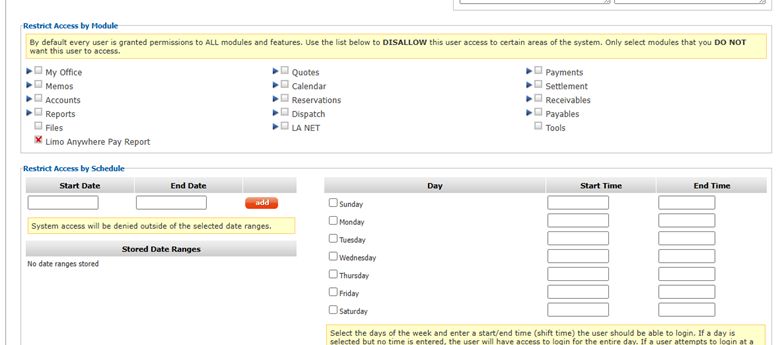
Emergency access planning starts with user-based permissions in your system:
- Make sure multiple team members have the appropriate access level to manage reservations, dispatch, and payments.
- Remember that users have full access by default, but you have the opportunity to limit access by module and/or by schedule
- Ensure at least one trusted backup dispatcher or manager can log in remotely from a phone, tablet, or secondary computer.
- Regularly review and update permissions when staff changes occur.
Having the right people able to step in quickly is one of the most effective ways to prevent delays during system issues.
3. Establish an Emergency Communication Plan
When your internet or system is down, internal communication becomes even more critical. Build a plan that includes:
- A group text thread or messaging platform (e.g., WhatsApp, GroupMe) for urgent updates.
- A printed or shared contact list of all chauffeurs, key clients, and affiliate partners.
- Designated roles for who contacts whom, and who makes decisions in the moment.
Pro Tip: Include this in your dispatcher or CSR onboarding so everyone is familiar before an emergency arises.
4. Keep Printed Tools Available
When power or Wi-Fi goes out, paper can still save the day. Maintain physical copies of:
- Reservation Forms and Trip Sheet templates.
- Training quick-start guides.
- SOPs for client communication, billing, and manual trip logging.
- A recent contact list for staff, affiliates, and top clients.
Store them in an easily accessible location at your dispatch or front desk.
5. Use Trip Notes Strategically
In addition to noting client preferences, trip notes can also help you stay organized when operating offline. Encourage your team to:
- Use consistent phrasing or header tags (e.g., “PAYMENT INFO,” “DOOR CODE,” “CALL ON ARRIVAL”).
- Select “Add to T/S” (Trip Sheet) so the note prints or appears in exported manifests.
- Use “Hide from Customer” for internal-use-only comments.
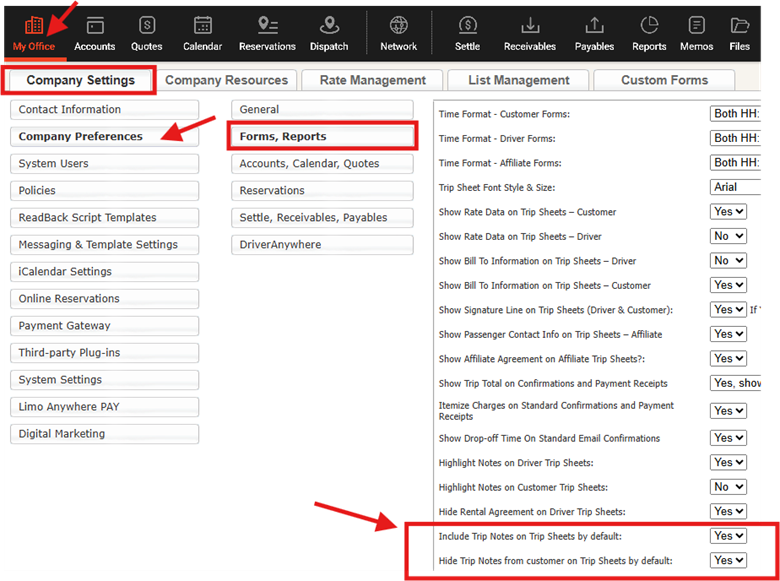
Bonus Setting: You can configure Trip Notes to appear on Trip Sheets by default under Company Preferences.
6. Run Periodic "Dry Runs"
Just like a fire drill, you can test your team’s emergency readiness with a simulated outage. For example:
- Print a manifest, then disconnect from Wi-Fi and assign a team member to run dispatch.
- Track how long it takes to reach chauffeurs, identify trip conflicts, or locate special notes.
- Debrief after the test and make adjustments to your SOPs as needed.
7. Document Your SOPs
Your Standard Operating Procedures should include step-by-step instructions for:
- Responding to power or internet outages.
- Accessing reservation manifests or contact lists.
- Logging trip times and payments manually.
- Re-entering or settling trips once systems are restored.
Keeping this documentation up-to-date and easily accessible ensures consistency no matter who is working the desk.
Final Thoughts
Emergencies are inevitable, but service disruptions don’t have to be. By using Limo Anywhere’s tools and a little pre-planning, you can give your team the confidence and clarity to act fast and keep clients happy when it matters most.
Recent Posts

Erica Bugbee Joins Limo Anywhere
Thursday October 8, 2026
Limo Anywhere Webinar
Wednesday October 7, 2026