Better dispatch visibility, payment clarity, and workflow reliability
The latest Limo Anywhere update includes reliability improvements across the workflows operators use before, during, and after a trip.
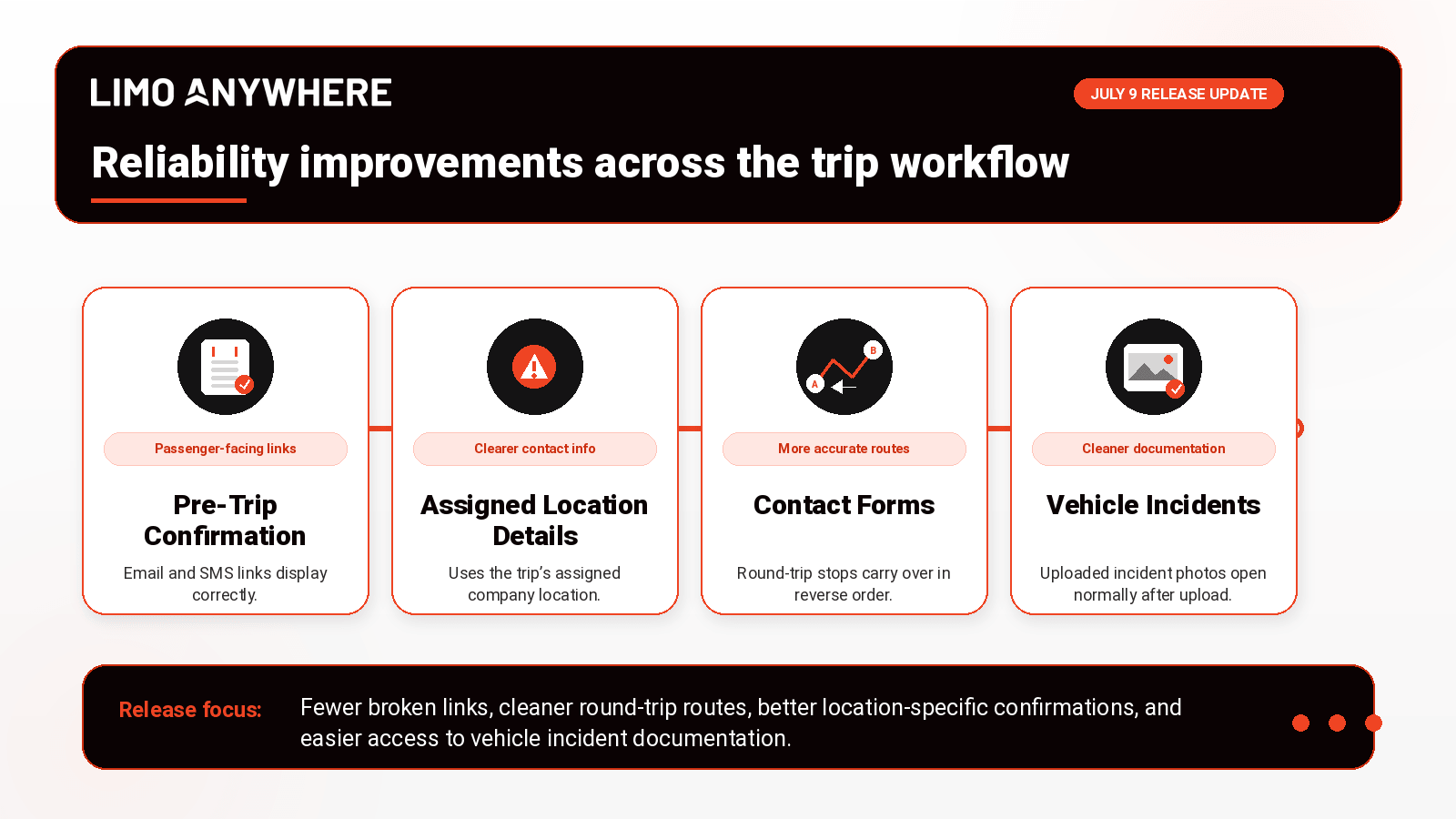
This release focuses on clearer Dispatch Monitor visibility, more dependable Pre-Trip Confirmation links, better round-trip contact form handling, clearer payment and refund history, more flexible scheduled messages, and smoother access to Vehicle Incident photos.
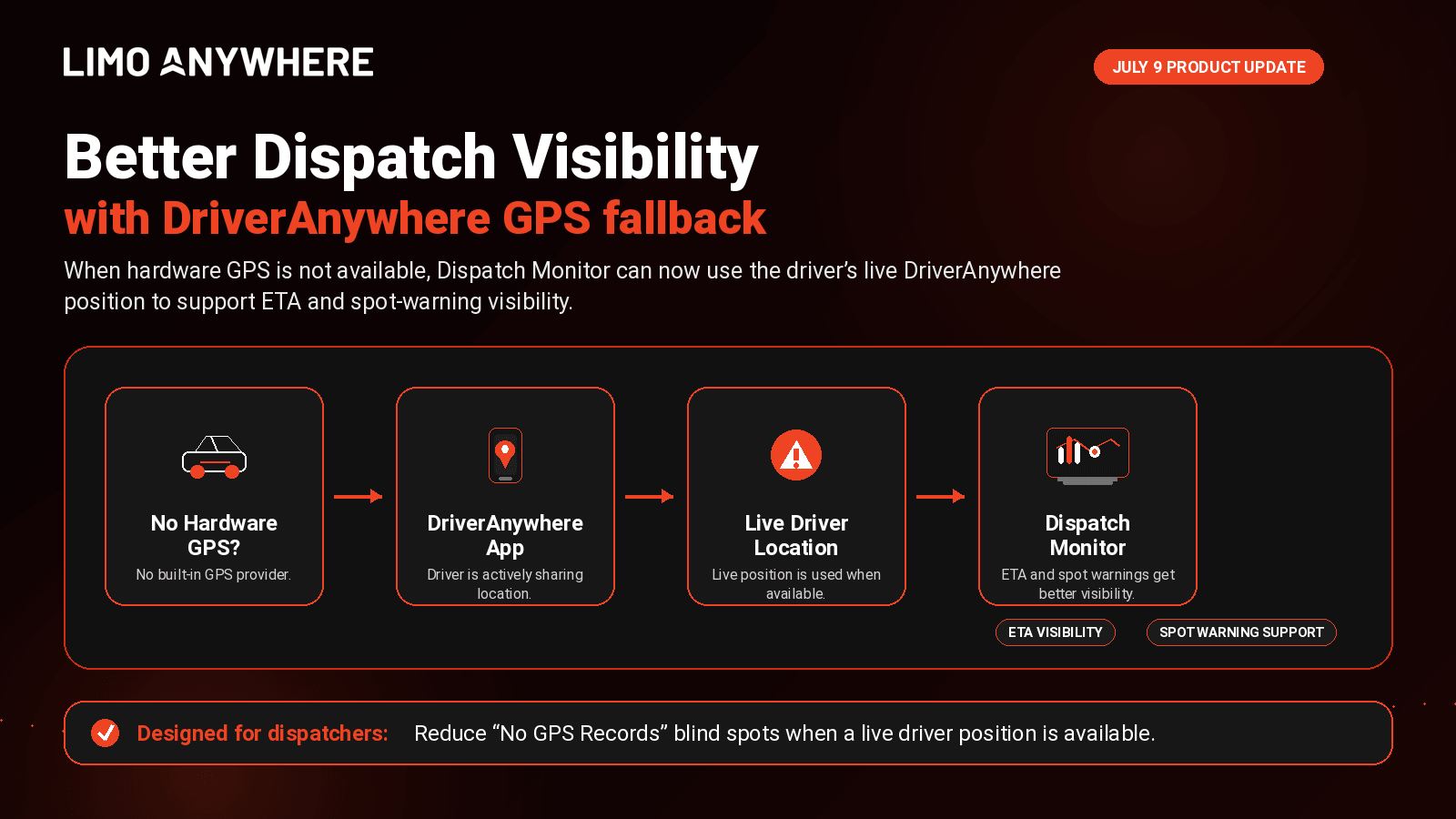
Dispatch Monitor can use DriverAnywhere GPS when hardware GPS is not available.
Pre-Trip Confirmation email and SMS links now open more reliably for passengers.
Round-trip contact form submissions now preserve stops on the return trip.
Payment and refund transaction history now shows clearer posted-by details.
Scheduled messages are no longer limited to trips within 14 days.
Vehicle Incident photos now open correctly after upload.
Cleaner information helps teams move faster.
Dispatchers need reliable location visibility. Passengers need confirmation links that work. Operators need quote details to match the full trip. Accounting teams need transaction history that clearly shows who completed each payment action. This release helps reduce avoidable follow-up, confusion, and manual correction across those daily workflows.
Better Dispatch Monitor visibility with DriverAnywhere GPS
Dispatch Monitor can now use the driver’s live DriverAnywhere position when no hardware GPS record is available for the assigned vehicle.
Previously, vehicles without a built-in GPS provider could show “No GPS Records,” even when the driver was actively sharing their location through DriverAnywhere. This update helps Dispatch Monitor provide better ETA and spot-warning visibility when a DriverAnywhere location is available.
Trips without an assigned vehicle are unchanged and will not receive an ETA.
Using DriverAnywhere?
Make sure drivers are using the app and sharing location when working trips so Dispatch Monitor can take advantage of this improved visibility when hardware GPS is not available.
More reliable Pre-Trip Confirmation links
This release includes several reliability improvements for Pre-Trip Confirmation. We resolved issues that could cause passengers to see an invalid link or an improperly displayed confirmation page when opening confirmation links from email or SMS.
Existing affected templates were repaired, and the template editor has been updated to help prevent saved notification content from breaking confirmation links in the future.
The confirmation page also now displays the phone number, email, and address for the trip’s assigned company location instead of always showing the main company contact information. This is especially useful for operators managing multiple locations.
Using Pre-Trip Confirmation?
Review your confirmation email and SMS templates to make sure they reflect the passenger experience you want.
More accurate round-trip contact form submissions
Round-trip contact form submissions now handle stops more accurately. When a customer submits a round trip with stops between pickup and dropoff, the return trip now includes those stops in reverse order.
This helps ensure the return quote, price, and travel time reflect the full route, reducing the need for operators to follow up manually to clarify the return itinerary.
Using contact forms for quote requests?
Review your round-trip form experience and confirm your service pages are sending customers through the right quote path.
Clearer payment and refund transaction history
This release also improves payment history visibility. When a customer completes a payment request, the transaction now shows the customer’s email address instead of displaying “unknown.”
Refund transactions now display the username of the user who processed the refund, rather than showing the user associated with the original payment. These updates give operators a clearer view of who completed each payment action.
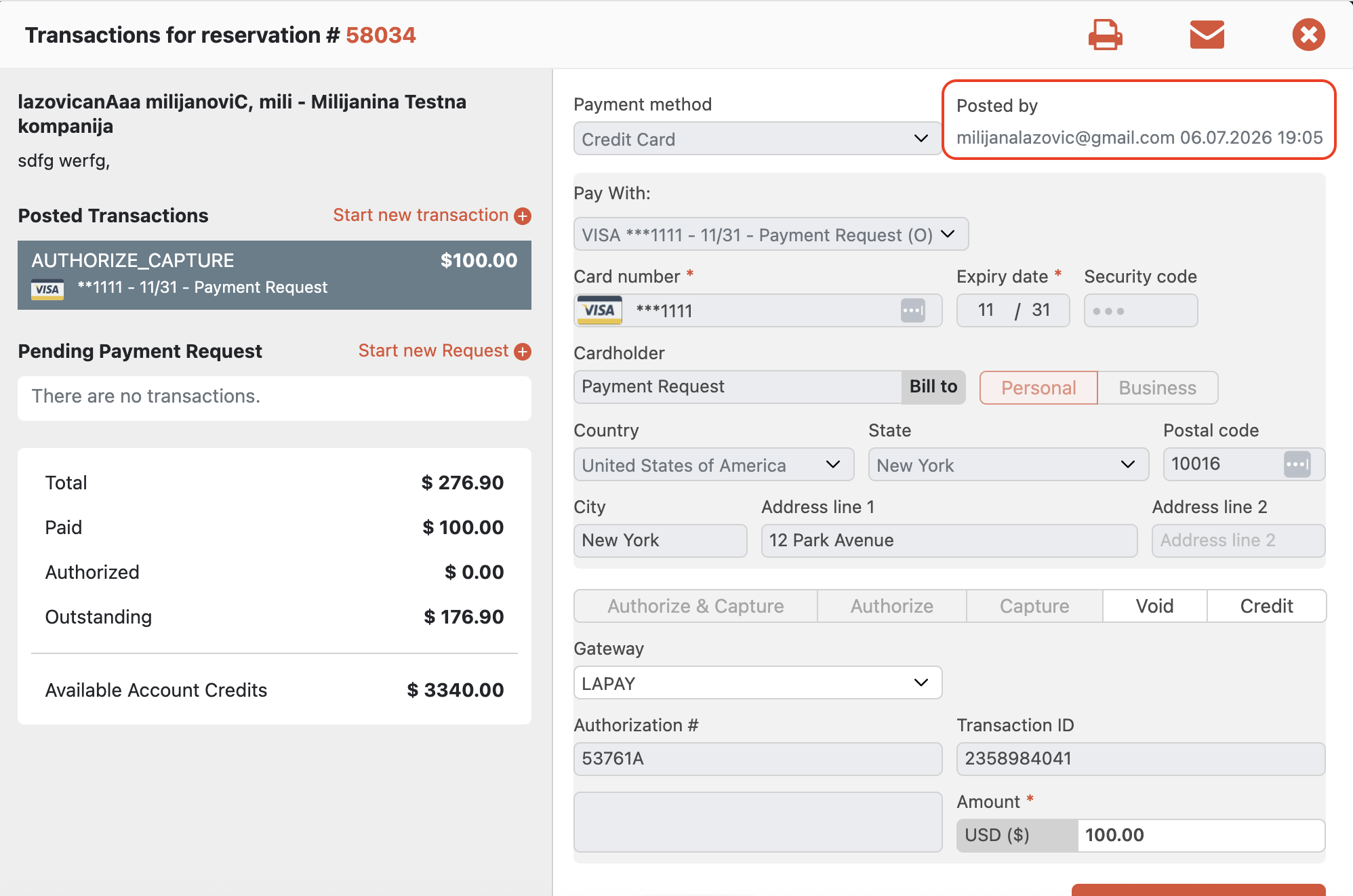
Reviewing transaction history?
Look for clearer posted-by details on completed payment requests and refund transactions.
Scheduled messages can now support trips farther in the future
Scheduled messages are no longer limited to trips within 14 days. Operators can now schedule messages for trips farther in the future, giving teams more flexibility when preparing communications in advance.
This is especially helpful for teams that prepare passenger, account, or trip-related communications ahead of time for future bookings.
Scheduling messages in advance?
Review your scheduled messaging workflows and consider whether additional future-trip communications should be set up now that the 14-day limit has been removed.
Vehicle Incident photos now open correctly
We fixed an issue with Vehicle Incident photo uploads. Uploaded photos are now saved with the correct file name and extension, so users can open incident photos normally after upload.
This gives teams smoother access to the photos they attach to incident reports and helps keep documentation easier to review.
Documenting vehicle incidents?
Continue attaching photos to incident reports as usual. Uploaded photos should now open normally.
For dispatch teams
Confirm drivers are using DriverAnywhere as expected and that assigned vehicles are set up correctly so Dispatch Monitor can use the best available location source.
For admin and operations teams
Review Pre-Trip Confirmation templates, test customer-facing contact forms, and keep Vehicle Incident documentation workflows moving as usual.
For accounting and customer service teams
Use the clearer posted-by details in payment and refund history to better understand who completed each transaction.
Review the workflows your team uses every day.
These updates are designed to make day-to-day work more reliable across dispatch, passenger communication, quote intake, payment review, scheduled messaging, and incident documentation.
Feature availability may vary by account configuration, package, and enabled add-ons. Contact the Limo Anywhere team if you are unsure whether a feature is included, enabled, or available for your account.