Configuring Service Type Pricing
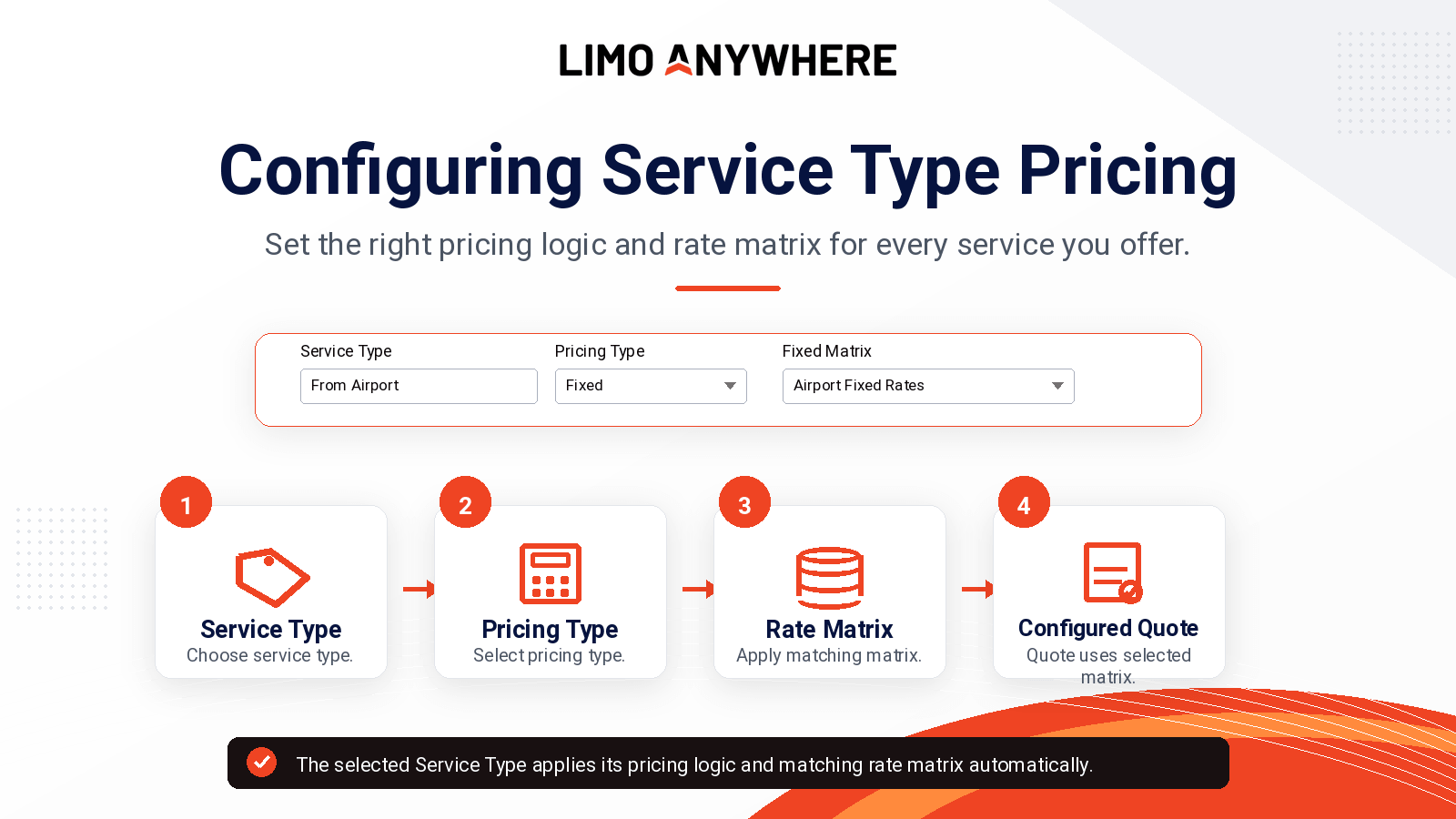
Many operations offer different services with different pricing requirements. Airport transfers, point-to-point rides, charters, shuttles, weddings, and event transportation may each need their own pricing logic. Service Type Pricing helps Limo Anywhere apply the right pricing setup automatically when the correct Service Type is selected.
Quick Answer
What does Service Type Pricing control?
Service Type Pricing connects the service being sold to the pricing logic and rate matrix that should be used for that reservation.
The ride category or service being provided, such as From Airport, Point-to-Point, Wedding, Event Charter, or Charter.
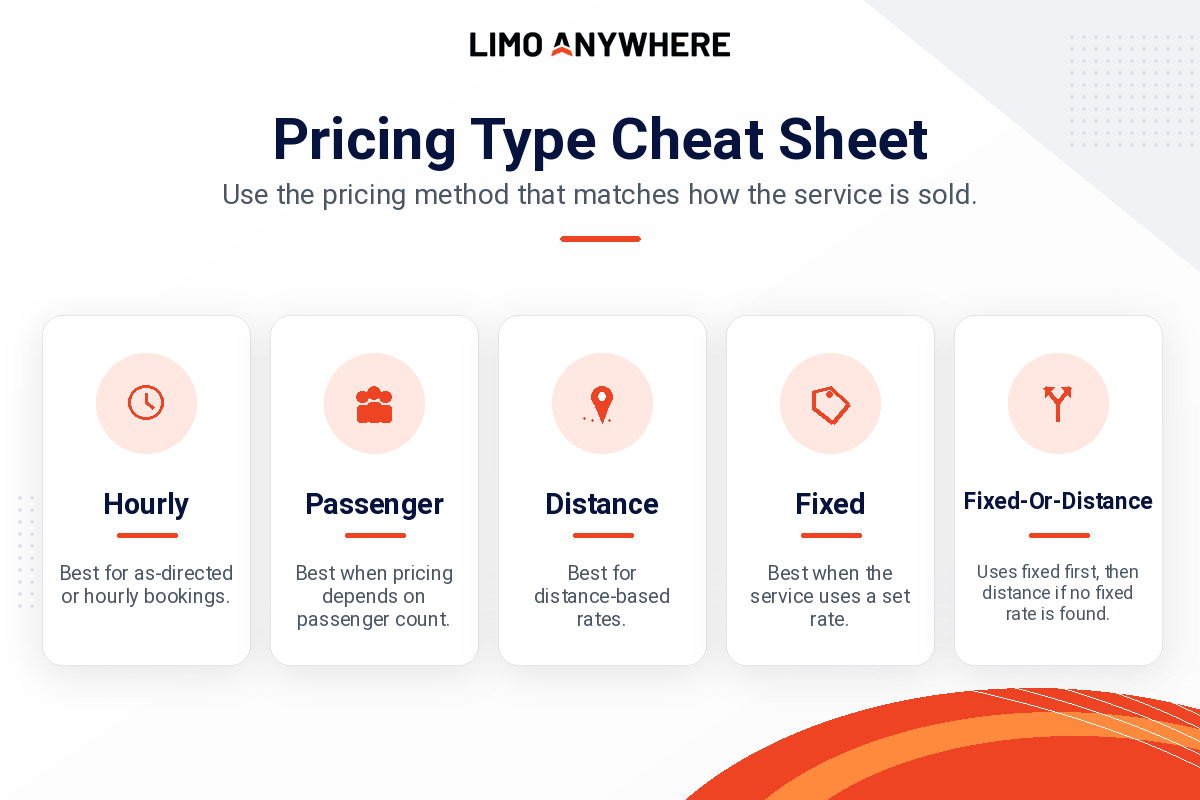
The pricing method Limo Anywhere should use, such as Fixed, Distance, Hourly, Passenger, or Fixed-Or-Distance.
The specific set of rates that should be applied when that Service Type is selected.
How It Works
How Service Types and Rate Matrices work together
Service Types identify the type of transportation being provided. Rate Matrices determine how those reservations are priced. When a Rate Matrix is assigned to a Service Type, Limo Anywhere automatically references that matrix whenever the Service Type is selected.
This helps different services use different pricing structures without requiring reservationists to manually choose a Rate Matrix during the reservation process.
As your pricing changes over time, you can update the associated Rate Matrix without creating a new Service Type.
Examples
Common Service Type pricing examples
The right setup depends on how each service is sold. Here are a few common examples:
| Service Type | Pricing Type | Rate Matrix Example | Use Case |
|---|---|---|---|
| From Airport | Fixed | Airport Fixed Rate Matrix | Use when airport pricing is based on predefined rates. |
| Corporate Transfer | Fixed | Corporate Fixed Rate Matrix | Use when corporate or account-based work uses negotiated flat rates. |
| Point-to-Point | Distance | Distance Rate Matrix | Use when pricing should be calculated based on distance. |
| Casino Charter | Hourly | Hourly Rate Matrix | Use when the service is sold by time or as-directed hours. |
| Wedding / Event Charter | Hourly | Hourly Rate Matrix | Use when wedding or event transportation is sold by time, package hours, or as-directed service. |
| Holiday Shopping Shuttle | Passenger | Passenger Rate Matrix | Use when pricing depends on passenger count. |
Step 1
Choose the Pricing Type
Start by selecting the Pricing Type that matches how the service is sold. This tells Limo Anywhere which pricing method should be used for the selected Service Type.
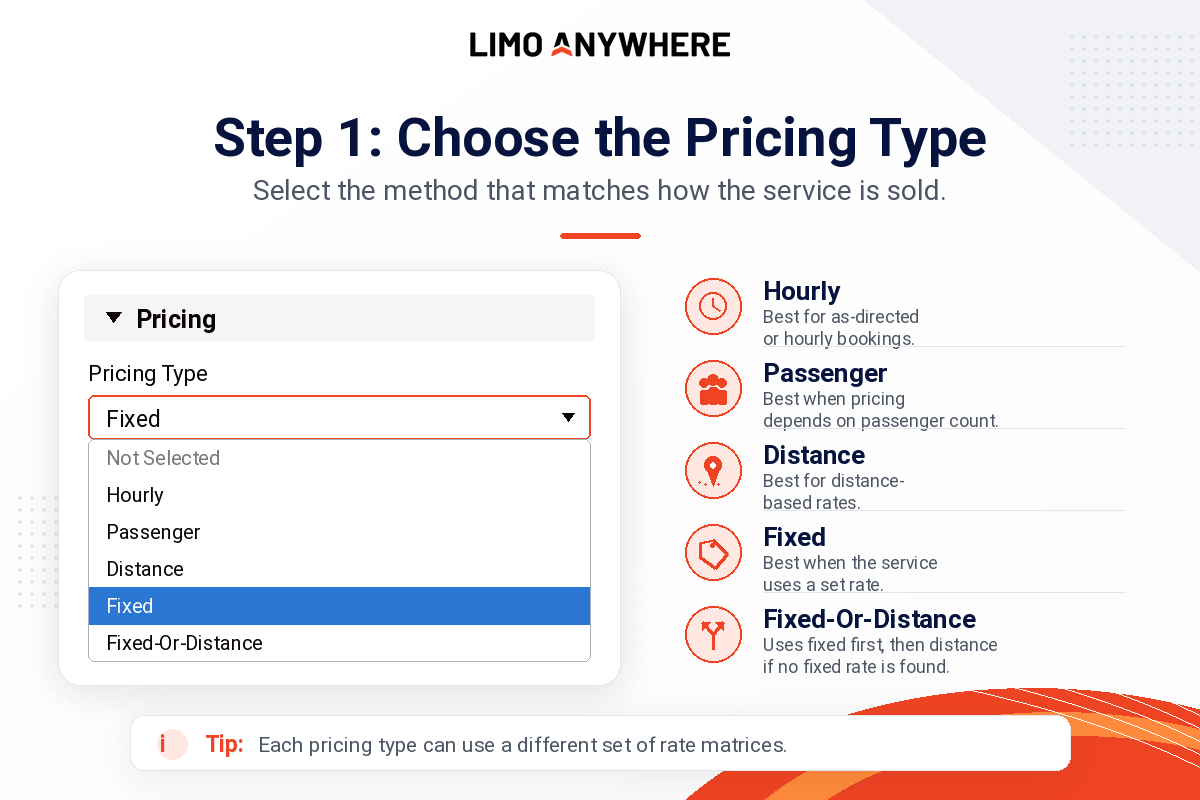
Choose the pricing method that matches how the service is sold. For example, an airport transfer may use Fixed pricing, while an as-directed charter may use Hourly pricing.
Reference
Pricing Type cheat sheet
Use this quick reference when deciding which Pricing Type should be assigned to a Service Type.
Step 2
Assign the Rate Matrix
After the Pricing Type is selected, choose the Rate Matrix this Service Type should use. The Rate Matrix is where the actual rates live.
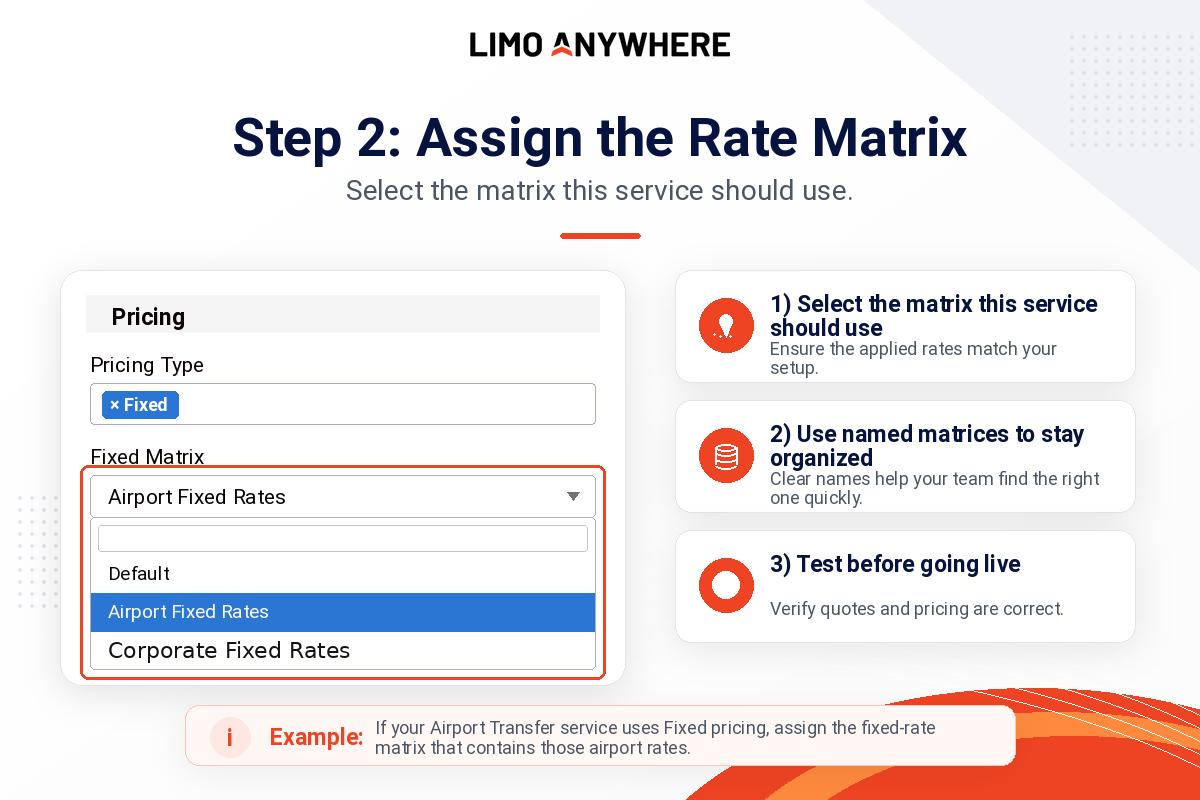
If your airport transfer service uses Fixed pricing, assign the fixed-rate matrix that contains those airport rates.
Setup Steps
How to assign a Rate Matrix to a Service Type
To associate a Rate Matrix with a Service Type, follow these steps:
Click My Office in the Navigation Bar.
Navigate to the Company Settings tab and select System Settings.
Select Service Types from the left-hand menu.
Select the Service Type you would like to edit.
Select the appropriate option from the Pricing Type dropdown menu.
Select the appropriate Rate Matrix from the available list.
Click Save to apply your changes.
Repeat this process for any other Service Types you would like to update. Once saved, the selected Pricing Type and Rate Matrix will automatically be referenced whenever that Service Type is selected on future reservations.
Testing
Before you go live: test the pricing setup
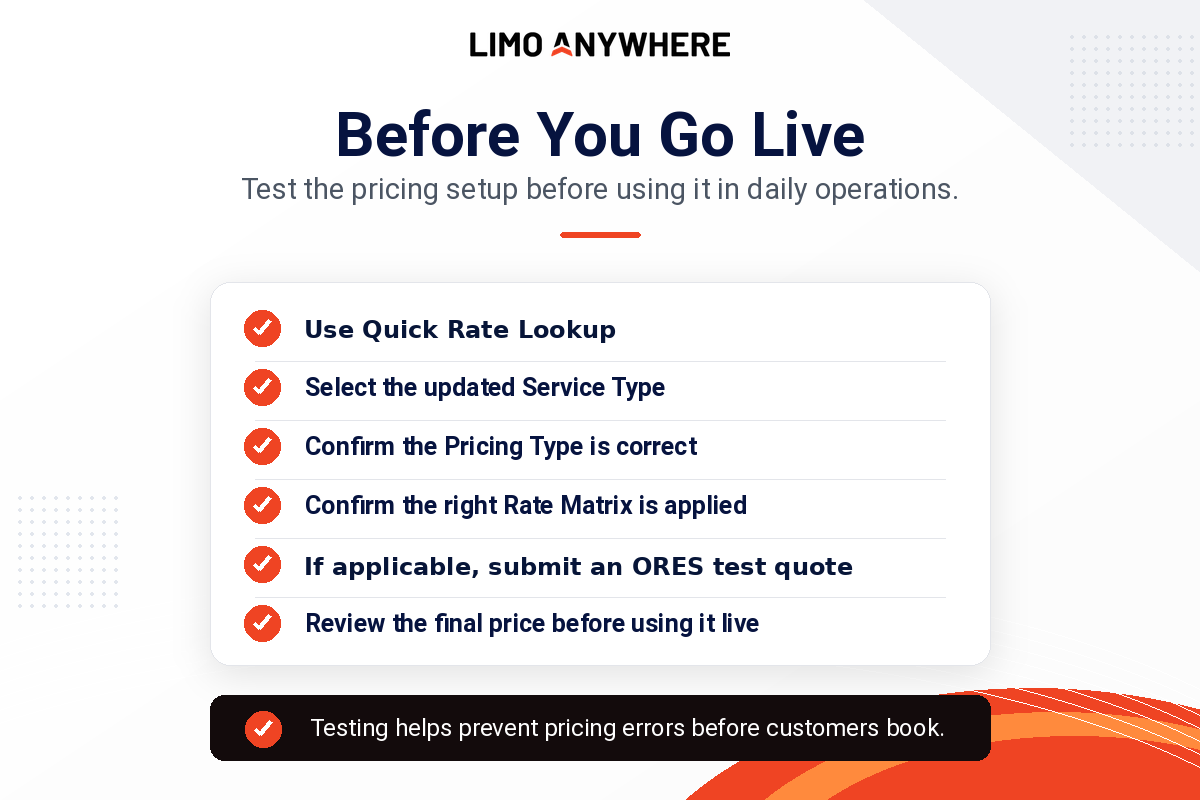
Before using the updated Service Type in daily operations, use the Quick Rate Lookup tool to confirm the correct Pricing Type and Rate Matrix are being applied. This lets your team validate pricing without creating a reservation. If the Service Type is available through online booking, you can also submit an Online Reservations System (ORES) test quote to confirm the online quoting experience.
Avoid Errors
Common mistakes to avoid
1
Mismatching the Pricing Type and matrix
Make sure the selected Rate Matrix matches the selected Pricing Type. For example, if the service uses Fixed pricing, choose the correct fixed-rate matrix.
2
Leaving a generic matrix in place
If a Service Type has specialized pricing, do not leave it tied to a default matrix unless that matrix truly contains the correct rates.
3
Skipping Quick Rate Lookup
Use Quick Rate Lookup to verify the setup before the updated Service Type is used in daily operations.
4
Creating unnecessary duplicate Service Types
If the service itself is not changing, you may only need to update the associated Rate Matrix instead of creating a new Service Type.
Ongoing Review
Review your Service Type pricing as your operation changes
Service Type Pricing is not something you should set once and forget. As rates, services, events, airport pricing, or seasonal packages change, review your Service Types periodically to make sure each one is still connected to the correct Pricing Type and Rate Matrix.
Keeping these settings organized helps your team quote more consistently and reduces the chance of pricing errors during reservations.
Want to compare pricing strategies with other operators?
Join the Limo Anywhere Community on Facebook to connect with fellow users, ask questions, share pricing strategies, and see how other operators configure their systems for their unique operations.
Recent Posts

Erica Bugbee Joins Limo Anywhere
Thursday October 8, 2026
Limo Anywhere Webinar
Wednesday October 7, 2026