Using Miscellaneous Fees in Limo Anywhere
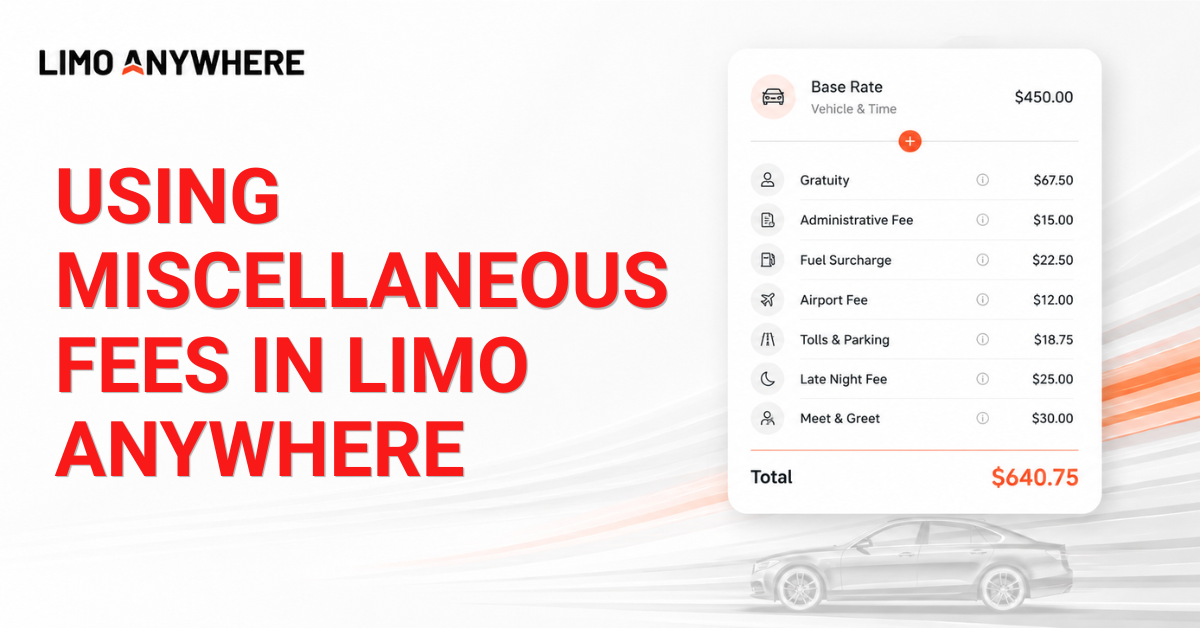
A reservation's total price is often made up of more than just the base transportation rate. Administrative fees, fuel surcharges, gratuity, airport fees, parking, tolls, and late-night or early-morning fees can all contribute to the final cost of a reservation.
Limo Anywhere allows you to configure Miscellaneous Fees that can be applied automatically when the appropriate criteria are met. Whether you're automatically applying a standard administrative fee to every reservation or adding an after-hours fee only during specific pickup times, Miscellaneous Fees provide a flexible way to build a consistent pricing strategy.
Understanding Miscellaneous Fees
Miscellaneous Fees allow additional fees to be applied based on your organization's pricing rules. Depending on how they're configured, fees can either be applied automatically or made available for reservationists to add when applicable.
Common uses for Miscellaneous Fees include:
- Automatic gratuity
- Administrative fees
- Fuel surcharges
- Airport fees
- Late-night or early-morning fees
- Parking and toll recovery
- Seasonal or event-specific fees
- Meet & Greet service
- Child seats
Because each Miscellaneous Fee can have its own criteria, reservationists don't have to remember every pricing rule during the reservation process.
Before You Begin
Before creating a Miscellaneous Fee, verify that any associated items you'll be using have already been configured within the System Rate Manager. Depending on how your fee is configured, this may include items such as Airports, Vehicle Types, Accounts, Service Types, or other criteria.
Miscellaneous Fees reference many of these existing lists when determining when a fee should apply, so creating them first can make the setup process much easier.
Creating a Miscellaneous Fee
- Click "My Office" in the Navigation Bar.
- Navigate to the "Rate Management" tab and select "Miscellaneous Fees."
- Click "Add New."
- Enter a descriptive name for the fee.
- Select the appropriate fee type and calculation method.
- Configure the fee amount or percentage.
- Define the criteria that determine when the fee should apply.
- Click "Save" to apply your changes.
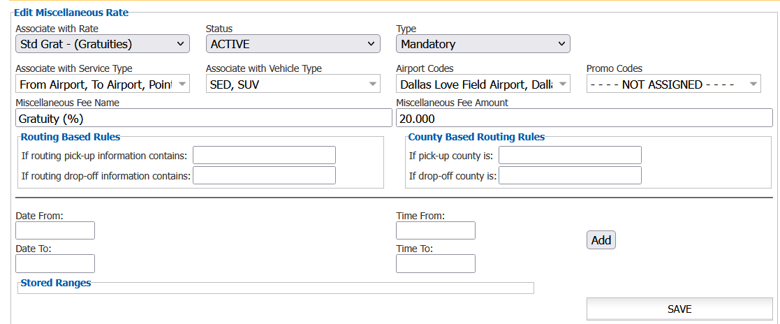
Once saved, the Miscellaneous Fee will be available according to the settings you've configured.
Automatically Applying Fees
One of the most common uses for Miscellaneous Fees is automatically applying fees whenever predefined criteria are met.
For example, you might configure:
- A 20% gratuity that's automatically added to retail reservations.
- An administrative fee that's applied to every reservation.
- A fuel surcharge calculated as a percentage of the reservation total.
- A late-night fee that's applied only to pickups between 10:00 PM and 5:00 AM.
- An airport fee that's automatically added whenever a reservation serves a particular airport.
Automatically applying these fees helps reduce manual entry while keeping pricing consistent throughout your operation.
Optional Charges
Some Miscellaneous Fees are better suited for optional charges that only apply to certain reservations. Rather than being added automatically, these charges can be selected by reservationists whenever they're needed.
Common examples include:
- Meet & Greet service
- Flowers or gift baskets
- Cleaning fees
- Other upselling opportunities
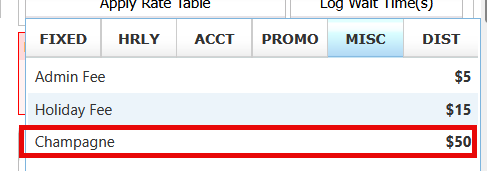
Using Miscellaneous Fees for optional charges gives your reservationists the flexibility to account for reservation-specific costs when these situations arise.
Once your Miscellaneous Fees have been configured, they become an important part of your overall pricing strategy. They help your team ensure reservation pricing is applied consistently while reducing the need for manual adjustments.
Looking for new ideas or curious how other operators are configuring their pricing? Join the Limo Anywhere Community on Facebook to connect with fellow users, share pricing strategies, ask questions, and see how others are making the most of their Limo Anywhere configuration: www.facebook.com/groups/LimoAnywhere
Recent Posts

Erica Bugbee Joins Limo Anywhere
Thursday October 8, 2026
Limo Anywhere Webinar
Wednesday October 7, 2026