Using Dynamic Tags Throughout Limo Anywhere
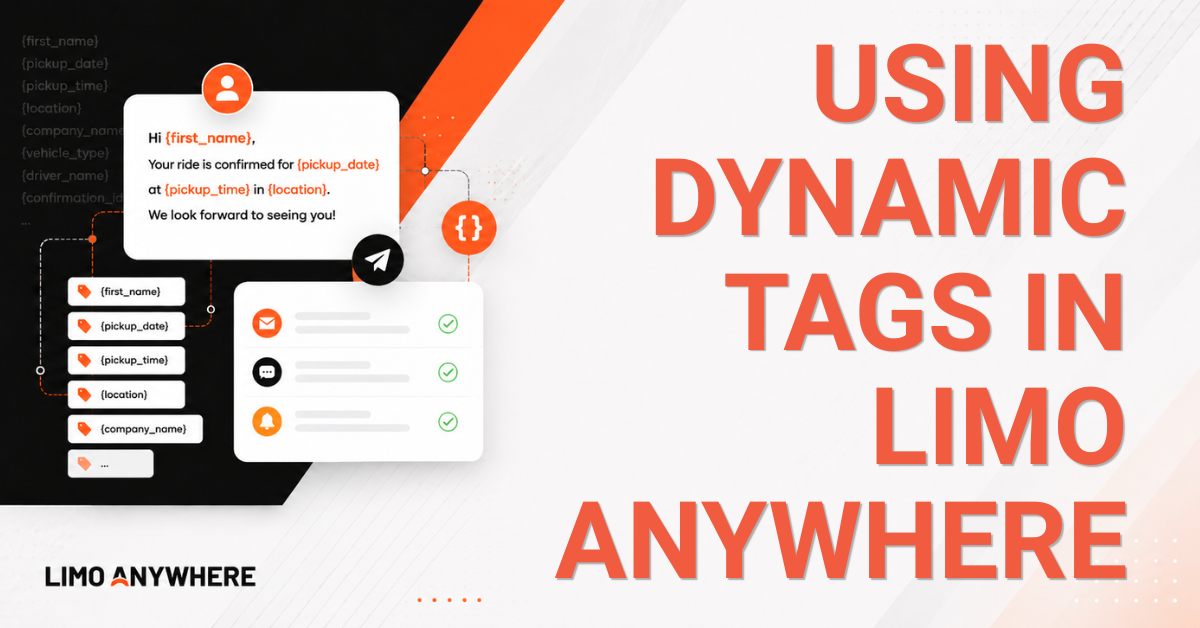
If you've spent any amount of time working with Scheduled Messaging, email templates, quote response templates, custom forms, or invoices in Limo Anywhere, you've likely encountered Dynamic Tags. These tags allow information from a reservation to populate automatically throughout the system, helping reduce manual data entry and create more consistent communications for both your staff and your passengers.
Dynamic Tags can be utilized throughout several areas of Limo Anywhere, including Scheduled Messaging, quote response templates, custom forms, invoices, rental agreements, and other customer and operational communications.
Understanding Dynamic Tags
Dynamic Tags are placeholders surrounded by pound signs (#) that are replaced with reservation-specific information when a message, document, or form is generated.
- #TRIP_PASS_FNAME#
would automatically populate the passenger's first name.
- #TRIP_PUDATE#
would automatically populate the reservation pickup date.
When the template is generated or the message is sent, the tag itself is replaced with the corresponding information from the reservation.
This allows you to build a single template that can automatically adapt to each reservation without requiring manual updates.
Types of Dynamic Tags
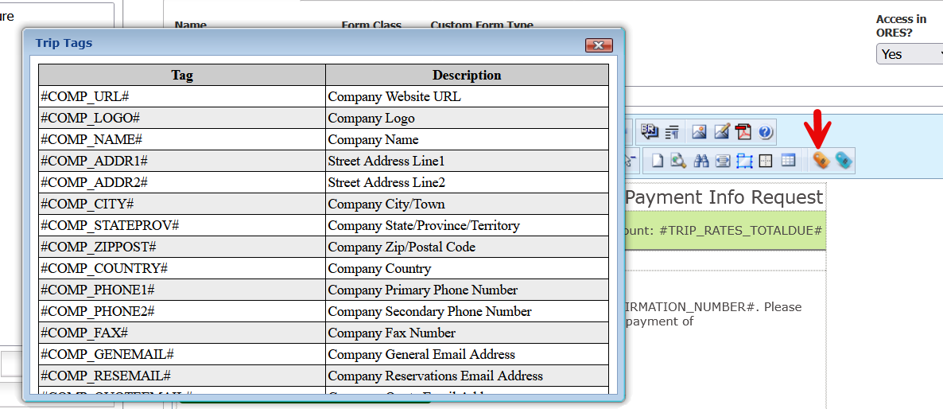
When working with templates throughout Limo Anywhere, you'll generally encounter two types of Dynamic Tags: Trip Tags () and Rate Tags (
).
Trip Tags
Trip Tags pull information directly from reservation records and can be used to display passenger information, pickup details, assigned vehicles, chauffeur information, routing details, notes, and payment information.
Examples:
- #TRIP_CONFNUM#
- #TRIP_PASS_FNAME#
- #TRIP_PUDATE#
- #TRIP_CAR1_DESC#
- #TRIP_DRIVER1_FNAME#
Rate Tags
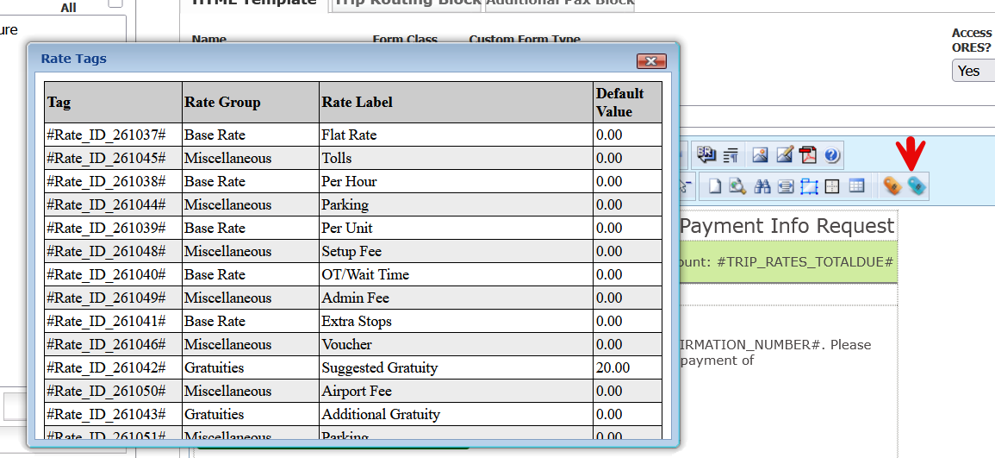
Rate Tags pull pricing information from the rates configured within your Limo Anywhere environment. Unlike Trip Tags, the available Rate Tags may vary from one operation to another based on how rates have been configured.
For example, one operation may have Rate Tags for Airport Fees, Fuel Surcharges, Suggested Gratuities, and Parking, while another may have completely different rate structures configured within the system.
NOTE: Rate Tags are generated based on the rate labels configured within your own Limo Anywhere environment. As a result, the available Rate Tags may differ from one operation to another.
Commonly Used Trip Tags
The following tags represent some of the most commonly utilized Trip Tags across Scheduled Messaging, email templates, quote response templates, and other customer and operational communications.
Reservation Information
These tags are commonly used in reservation confirmations, Scheduled Messaging templates, and quote response templates.
| Tag | Description |
| #TRIP_CONFNUM# | Confirmation Number |
| #TRIP_PUDATE# | Pickup Date |
| #TRIP_PUTIME# | Pickup Time |
| #TRIP_DURATION# | Trip Duration |
| #TRIP_SVCTYPENAME# | Service Type |
| #TRIP_STATUS# | Reservation Status |
Passenger Information
These tags are useful when personalizing customer communications.
| Tag | Description |
| #TRIP_PASS_FNAME# | Passenger First Name |
| #TRIP_PASS_LNAME# | Passenger Last Name |
| #TRIP_PASS_COMPANY# | Passenger Company |
| #TRIP_PASS_EMAIL1# | Passenger Email Address |
| #TRIP_PASS_PHONEMOB1# | Passenger Mobile Phone Number |
| #TRIP_PASSCOUNT# | Passenger Count |
Vehicle Information
These tags are commonly utilized in chauffeur notifications and dispatch communications.
| Tag | Description |
| #TRIP_CAR1_DESC# | Assigned Vehicle |
| #TRIP_CAR1_COLOR# | Vehicle Color |
| #TRIP_CAR1_PLATE# | License Plate Number |
| #TRIP_CAR1_CAPACITY# | Vehicle Capacity |
| #TRIP_CAR1_NOTES# | Vehicle Notes |
Chauffeur Information
These tags are especially useful when sending passenger ride reminders or affiliate updates.
| Tag | Description |
| #TRIP_DRIVER1_FNAME# | Chauffeur First Name |
| #TRIP_DRIVER1_LNAME# | Chauffeur Last Name |
| #TRIP_DRIVER1_PHONEMOB# | Chauffeur Mobile Phone Number |
| #TRIP_DRIVER1_EMAIL# | Chauffeur Email Address |
Routing Information
These tags allow routing information to be displayed automatically.
| Tag | Description |
| #TRIP_RT_ALL# | Complete Routing |
| #TRIP_RT_PUBLOCK# | Pickup Information |
| #TRIP_RT_STBLOCK# | Stop Information |
| #TRIP_RT_DOBLOCK# | Drop-Off Information |
Notes and Special Instructions
These tags are particularly useful when communicating operational details to chauffeurs.
| Tag | Description |
| #TRIP_NOTES_MAIN# | Main Reservation Notes |
| #TRIP_NOTES_DRIVER# | Driver Notes |
| #TRIP_BC_NOTES_DRIVER# | Billing Contact Driver Notes |
| #TRIP_PASS_NOTES_DRIVER# | Passenger Driver Notes |
| #TRIP_CAR1_NOTES# | Vehicle Notes |
Payment and Billing Information
These tags are frequently used in invoices, receipts, and customer communications.
| Tag | Description |
| #TRIP_RATES_TOTAL# | Reservation Total |
| #TRIP_RATES_TOTALDUE# | Total Amount Due |
| #TRIP_PAYMETHOD_DESC# | Payment Method |
| #TRIP_PAYSTATUS# | Payment Status |
| #TRIP_PAYMENTS_LAST# | Most Recent Payment |
Using Dynamic Tags with Scheduled Messaging
Dynamic Tags are especially useful when paired with Scheduled Messaging.
For example, a chauffeur dispatch notification might automatically include:
- Passenger Name
- Pickup Date and Time
- Assigned Vehicle
- Driver Notes
- Vehicle Notes
Rather than creating a separate message for every reservation, Dynamic Tags allow trip information to populate automatically.
The same concept can be applied to passenger ride reminders, affiliate notifications, quote response templates, custom forms, and internal operational communications.
Understanding Rate Tags
While Trip Tags are commonly used in communications and operational workflows, Rate Tags are often used in customer-facing documents where pricing needs to be displayed automatically.
Examples:
- Flat Rate
- Per Hour
- Per Mile
- Suggested Gratuity
- Additional Gratuity
- Fuel Surcharge
- Airport Fee
- Parking
- Tolls
- Administrative Fees
- Taxes
- Discounts
Rate Tags can be particularly useful when building:
- Quote Response Templates
- Invoices
- Receipts
- Rental Agreements
- Custom Forms
By utilizing Rate Tags, pricing information can be displayed automatically without requiring manual edits each time a document is generated.
Best Practices
When utilizing Dynamic Tags:
- Test templates before making them live
- Verify that the tag contains data for the type of reservation being used
- Review generated messages to ensure formatting appears as expected
- Keep SMS character limits in mind when using multiple Dynamic Tags
- Periodically review templates to ensure they continue to meet your operational needs
NOTE: Not every Dynamic Tag will contain information for every reservation. If the corresponding field is blank within the reservation, the Dynamic Tag may return no information when the template is generated.
Dynamic Tags can help automate communications throughout nearly every stage of the booking cycle. Whether you're sending a quote, confirming a reservation, dispatching a chauffeur, generating an invoice, or building a custom form, Dynamic Tags allow reservation information to be inserted automatically while maintaining consistency across your operation.
If you have any questions about Dynamic Tags or would like assistance configuring templates within your system, our Support Team is happy to help. Contact Support at 972-701-8887, Option 2, or email Support@LimoAnywhere.com.
Have an idea to improve Limo Anywhere? Suggestions and product feedback can be sent to ProductTeam@LimoAnywhere.com.
Recent Posts
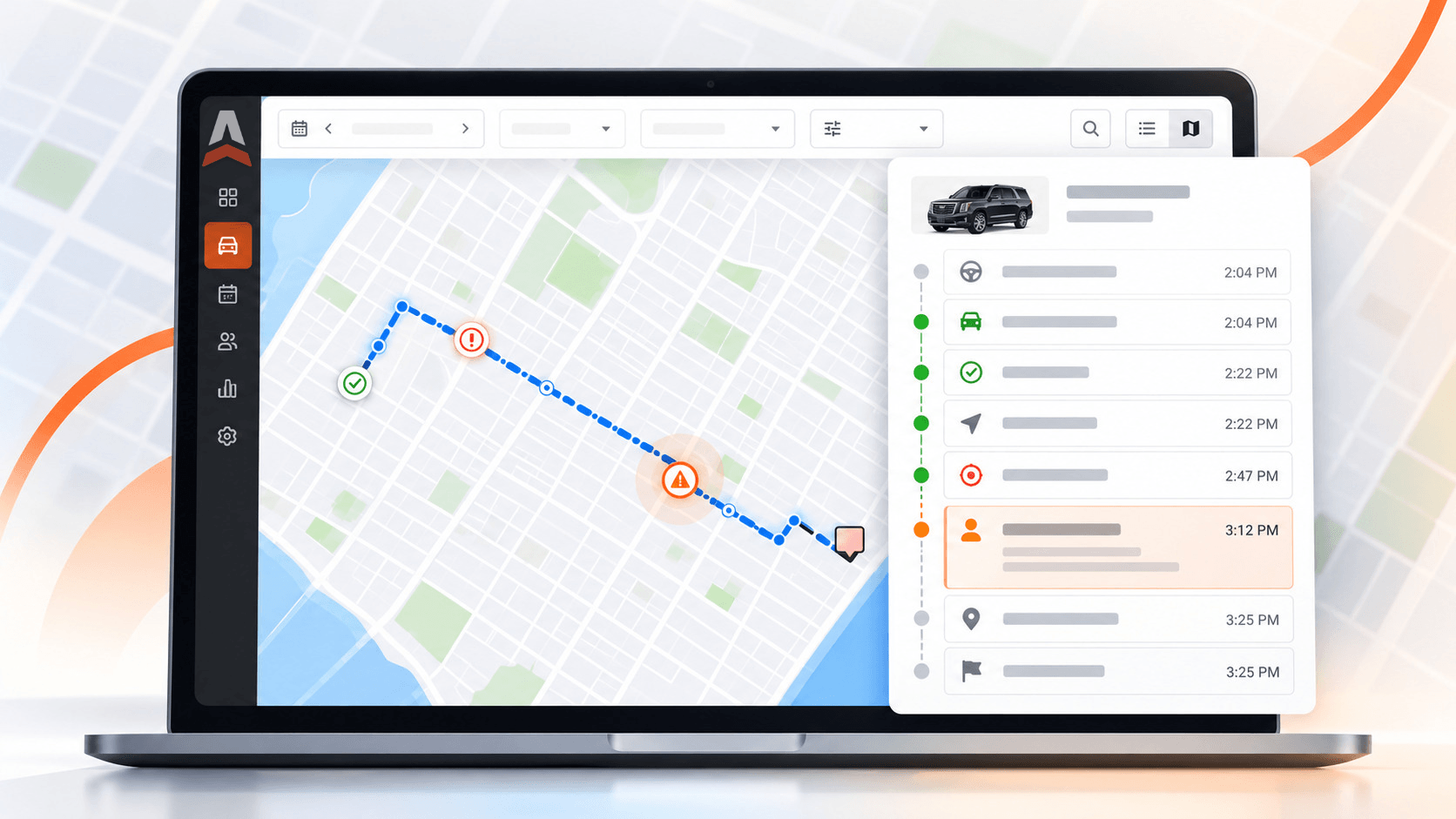
Introducing Trip Timeline: See When and Where Each Trip Step Happened
Thursday October 22, 2026
Holiday Taxis Integration
Wednesday October 21, 2026