Understanding Groups in Limo Anywhere
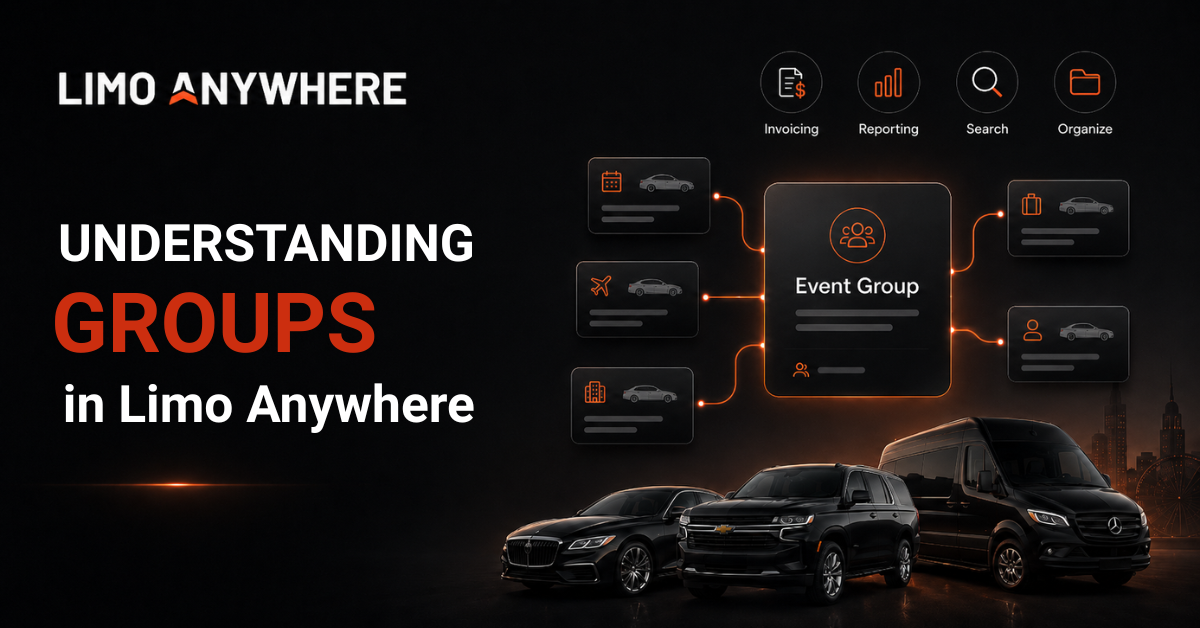
From weddings and corporate meetings to conferences and sporting events, it's common for multiple reservations to be associated with the same event. While each reservation has its own details, there are times when keeping those reservations connected can make managing them much easier.
Groups provide a way to associate related reservations under a shared name so they can be located, invoiced, and reported on as part of a single event.
What Are Groups?
A Group can represent virtually any event, project, or shared purpose that involves multiple reservations. Once created, the same Group can be assigned to each related reservation, allowing transportation for a single event to remain organized without affecting how those reservations are priced or dispatched.
Because Groups are strictly organizational, they don't affect reservation behavior or system logic. Instead, they provide a consistent way to associate related reservations within Limo Anywhere.
For example, you might create Groups for:
- Stark Industries Board Meeting
- S.H.I.E.L.D. Executive Roadshow
- Parker-Jones Wedding Weekend
- Xavier Foundation Gala
- Banner Medical Symposium
Once assigned, reservations within a Group can be searched, reported on, and invoiced together, keeping related trips connected from booking through final billing.
Creating and Managing Groups
- Select "My Office" from the Navigation Bar.
- Navigate to the "List Management" tab and click the "Groups" button in the left-hand menu.
- Click the "Add New Group" hyperlink at the top of the page.
- Enter a descriptive name for the Group, then select "Add New" to save it.
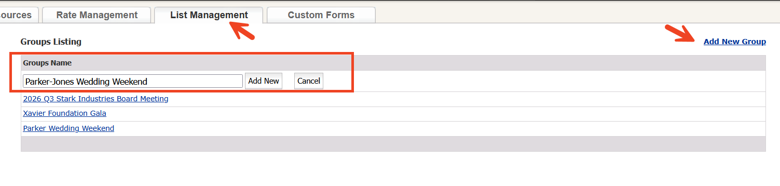
Once a Group has been created, it becomes available throughout Limo Anywhere and can be selected whenever a reservation needs to be associated with that event.
Existing Groups can also be updated or removed as your organization's needs change. To make changes, select the Group name from the "Groups" list. From there, you can update the Group name or delete it if it is no longer needed

Assigning a Group to a Reservation
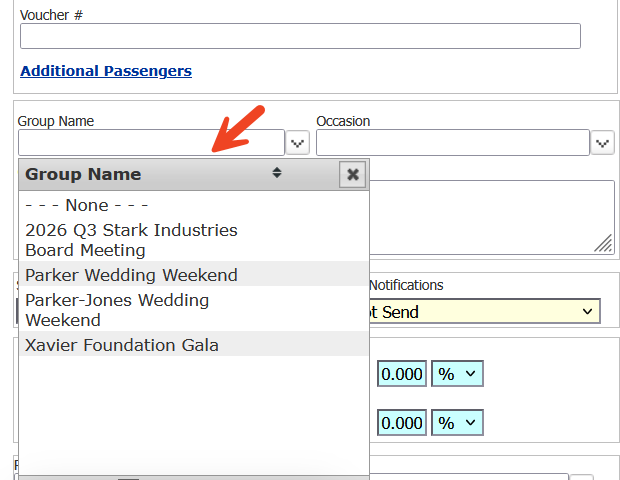
When creating or editing a reservation, simply select the appropriate Group from the available list.
Using the same Group across related reservations helps keep everything organized and ensures your team can quickly locate every trip associated with an event. This is especially useful when reservations are created over an extended period or by multiple reservationists.
Group Invoicing
One of the primary advantages of Groups is the ability to invoice related reservations together.
Rather than generating invoices one reservation at a time, qualifying reservations assigned to the same Group can be consolidated into a single invoice. This reduces administrative work while providing clients with a clear, organized billing experience.
Reporting by Group
Groups can also be used throughout Limo Anywhere's reporting tools to review the activity and performance of a specific event or client.
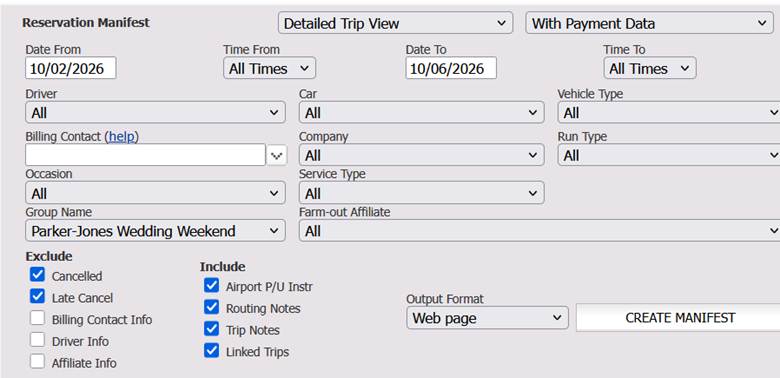
Filtering reports by Group allows you to focus only on the reservations associated with that event, making it easy to answer questions such as:
- How many reservations were completed?
- What revenue was generated?
- Which vehicles and chauffeurs serviced the event?
- Which reservations are still scheduled?
Whether you're reviewing a recurring event or preparing information for a client, filtering by Group provides a clear view of the transportation services associated with that event.
Finding Reservations
As more reservations become associated with a single event, quickly locating every related trip becomes increasingly important.
Instead of searching by passenger name, date, or confirmation number, Groups allow you to retrieve every reservation associated with a specific event from a single search. This can be especially useful for reservationists, dispatchers, and accounting staff working with larger events involving multiple passengers and reservations.
Groups provide a straightforward way to organize reservations that belong to the same event. By associating reservations under a shared Group, your team can more easily locate trips, generate reports, and create consolidated invoices without affecting pricing or dispatching.
Whether you're coordinating a corporate meeting, a wedding weekend, or transportation for a large conference, Groups make it easier to keep related reservations organized from booking through final billing.
For additional assistance with Groups or any other Limo Anywhere feature, please contact our Support team at 972-701-8887 ext. 2 or email support@limoanywhere.com.
Have an idea for a future feature or product enhancement? We'd love to hear from you. Send your suggestions to productteam@limoanywhere.com for consideration by our Product team.
Recent Posts

Limo Anywhere Webinar
Wednesday October 7, 2026
PWA Update
Tuesday October 6, 2026