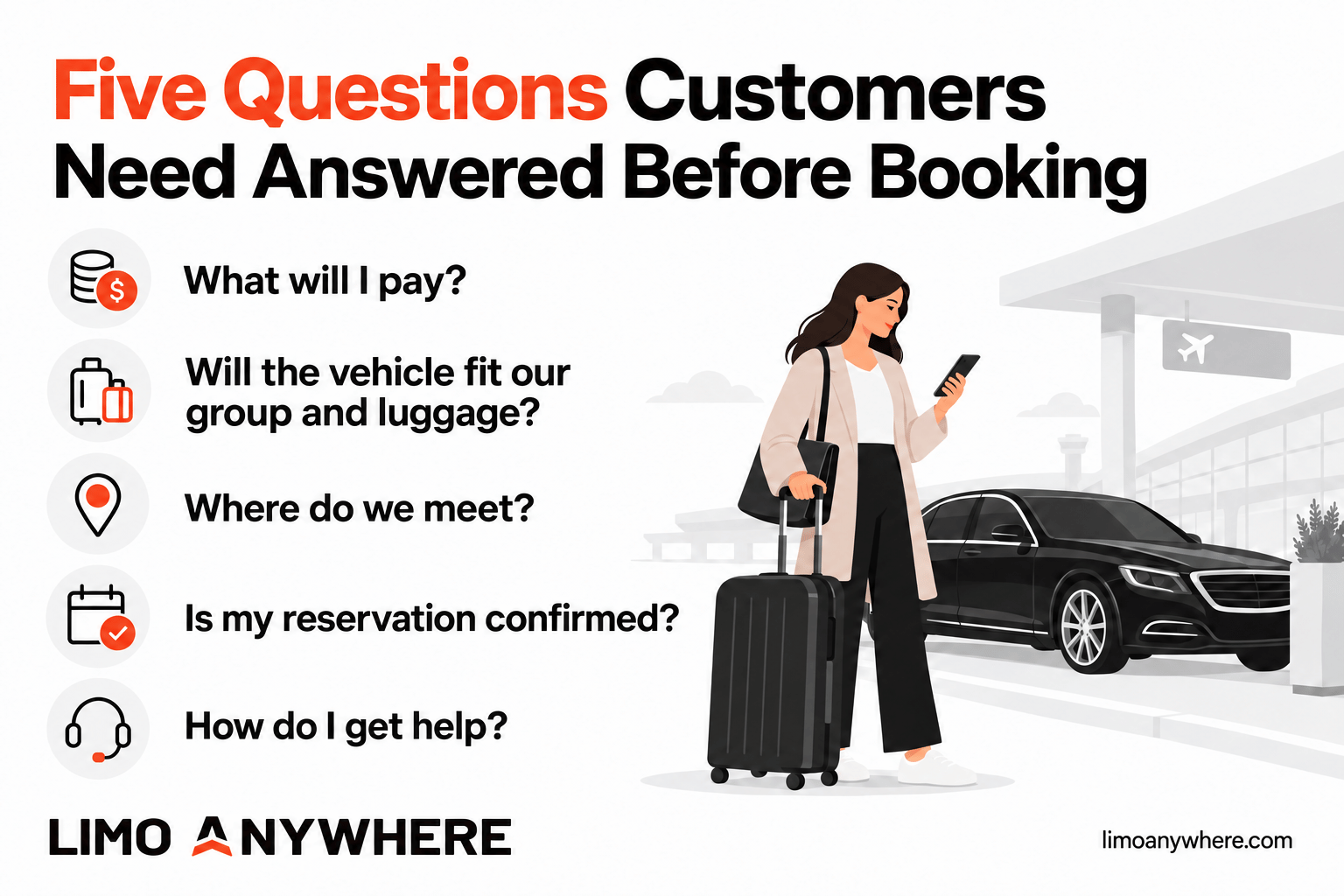
The booking tool may be working exactly as designed. The customer may simply need an answer they cannot find: Does the price include everything? Will the luggage fit? Where will the chauffeur meet them? Is the reservation actually confirmed?
For chauffeur and black car operators, those questions are an opportunity to improve the booking experience. Your reservations team builds confidence by explaining the details. Your website should give customers that same confidence when they are ready to book on their own.
Here are five places to start.
Select the image to view it at full size.
01
Make the price easy to understand
“What will I pay?”
Look at your booking process through the eyes of someone using your service for the first time. If they see a price, can they tell what it covers?
Explain how your company handles gratuity, tolls, airport fees and waiting time. Distinguish charges already included in the displayed total from charges that depend on what happens during the trip. If additional stops or extended service can change the final amount, explain when those charges apply.
For hourly service, make the minimum booking period visible. If a trip requires a custom quote, say so before the customer works through a long form expecting an immediate price.
Place short explanations near the relevant price or service choice. Keep the full terms available for customers who want more detail. The objective is to help someone understand the purchase before asking them to commit.
02
Help customers choose the right vehicle
“Will the vehicle fit our group and luggage?”
Your team knows what separates a sedan from an executive SUV or a passenger van. A new customer may only know how many people are traveling and how many bags they have.
Review vehicle descriptions for the information that helps that person decide. Show passenger capacity and realistic luggage guidance for the configuration you provide. Make it clear when photos represent a vehicle category and when a particular model is guaranteed.
A vehicle that can seat a group may not accommodate that group's luggage in the same configuration. Give customers a way to flag oversized bags, mobility equipment or other requirements that need review.
Keep descriptions consistent across the fleet page, booking tool and confirmation. If the website advertises one service level and checkout uses an unfamiliar label, the customer has another reason to pause.
03
Explain the pickup experience
“Where do we meet?”
An airport transfer can be routine for your team and unfamiliar to the passenger. A few clear details can answer questions that would otherwise require a call.
Explain whether the selected service includes curbside pickup or a meet-and-greet. Tell customers when and how they will receive pickup instructions. If your process uses flight information, explain what they should enter and how your team uses it.
Be specific about waiting time, including when it begins and what happens if the passenger needs longer. Describe the process your team actually follows, including any differences between airports or service types.
Put the essentials where customers select the service. Use the confirmation and later trip communications for the detailed instructions they will need on the day of travel.
04
Make the reservation status unmistakable
“Is my reservation confirmed?”
After a customer submits a form, they should know whether they have requested a quote, submitted a reservation for review or received a confirmed booking.
Match the button label, success message and follow-up email to the same status. A quote request should not end with language that suggests the ride is already confirmed. A confirmed reservation should give the customer a clear record of the trip and explain how to request changes.
Set an accurate expectation for the next communication. Only promise a response time your team can consistently meet, including evenings and weekends.
For corporate travel, also distinguish the person making the booking from the person taking the ride. Confirm who should receive reservation details, trip updates and billing communications so an assistant or travel coordinator can book with confidence.
05
Keep human help within reach
“How do I get help?”
Some reservations deserve a conversation. A roadshow, a complex itinerary or a passenger with specific requirements may need more attention than a standard online flow can provide.
Keep a clear contact option available throughout booking. State your actual support hours and how customers can reach the team for urgent trip questions.
When a customer switches from the website to a call or email, help your team preserve the context. Ask where they stopped and what they were trying to confirm. Where your systems support it, use the existing quote or reservation reference to continue the conversation.
Those questions also give you useful feedback. If several customers call to clarify the same point, review how the website explains it.
Put it into practice
Run a simple booking review this week
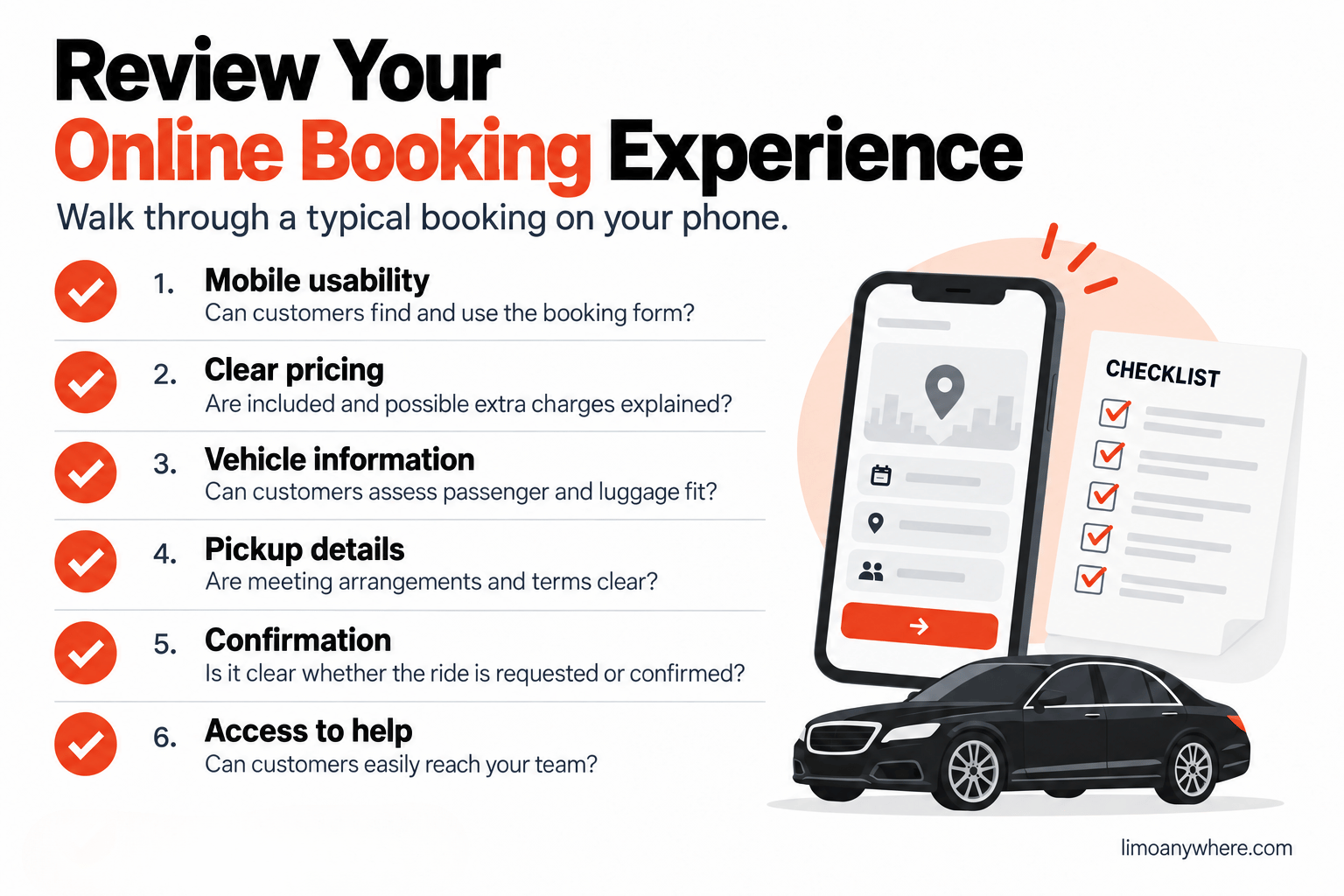
Ask someone who does not use your reservation system every day to walk through a typical booking on a phone. Use a test process that avoids an unintended live reservation or payment.
Select the image to view it at full size.
Have them check whether they can:
✓Find the booking option easily from a service page.
✓Understand the total price and any charges that may change.
✓Choose a vehicle confidently for their passengers and luggage.
✓Understand the pickup arrangement and cancellation terms.
✓Tell whether the final step creates a quote request or a confirmed reservation.
✓Find help without losing track of the trip they want to book.
Record where they hesitate. Then ask your reservations team to log the questions customers raise after starting online. Use those observations to choose the first improvement.
If your analytics are configured to measure booking starts and completions, compare the same measures over time. Also track reservations your team completes after an online inquiry. A customer who needs assistance can still become a valuable direct booking.
Your next step
Give customers a clearer path to booking
Limo Anywhere's Online Reservation System supports a mobile-friendly booking flow where customers can enter trip details, review vehicle options and proceed through checkout.
The experience also depends on the services, pricing rules and information your business provides. Reviewing those details is a practical place to begin, whether you are setting up online booking or improving an existing process.