limo anywhere august product enhancements
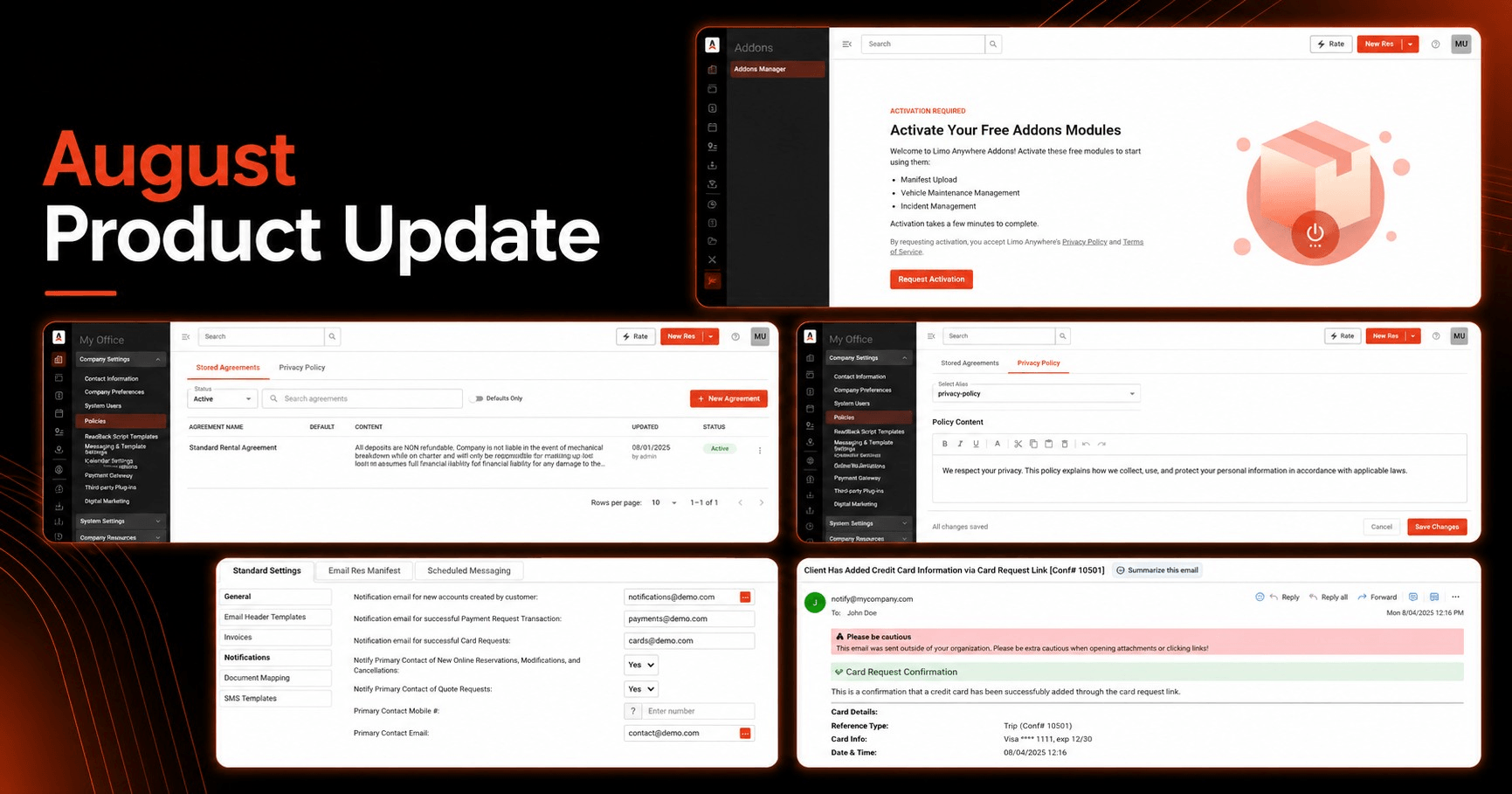
August 12, 2026 · Product Update
Smarter payment follow-up, more of the LA 2.0 experience, and faster customer communication
The latest Limo Anywhere updates give operators a clearer signal when customers complete a Card Request, continue the modernization of the Limo Anywhere experience through LA 2.0, and reduce the wait before an important email can be sent again.
The biggest net-new workflow in this update is a Successful Card Request notification: after a customer uses a secure Card Request link to add a card, Limo Anywhere can notify the operator that the card is now available on the applicable account, trip, or invoice and ready for the next payment step.
This article focuses on customer-facing enhancements and changes worth knowing about. For the complete technical list, including fixes and maintenance updates, visit the Limo Anywhere Release Notes.
Missed our previous updates? Review the July Product Release Update and our article covering better dispatch visibility, passenger confirmations, and workflow reliability.
Highlights at a glance
Receive an email when a customer successfully completes a Card Request.
Use new Addons and Policies experiences in LA 2.0 as more of Limo Anywhere moves to the modern interface.
Try the New Dispatch Grid and other newer interfaces at app.mylimobiz.com while the classic experience remains available.
Resend the same email after five minutes instead of waiting 30 minutes.
Prepare for the passenger-facing airport-code transition from PBI to DJT on August 18.
Request a Card
Know when a customer has added a card and it is ready for the next payment step
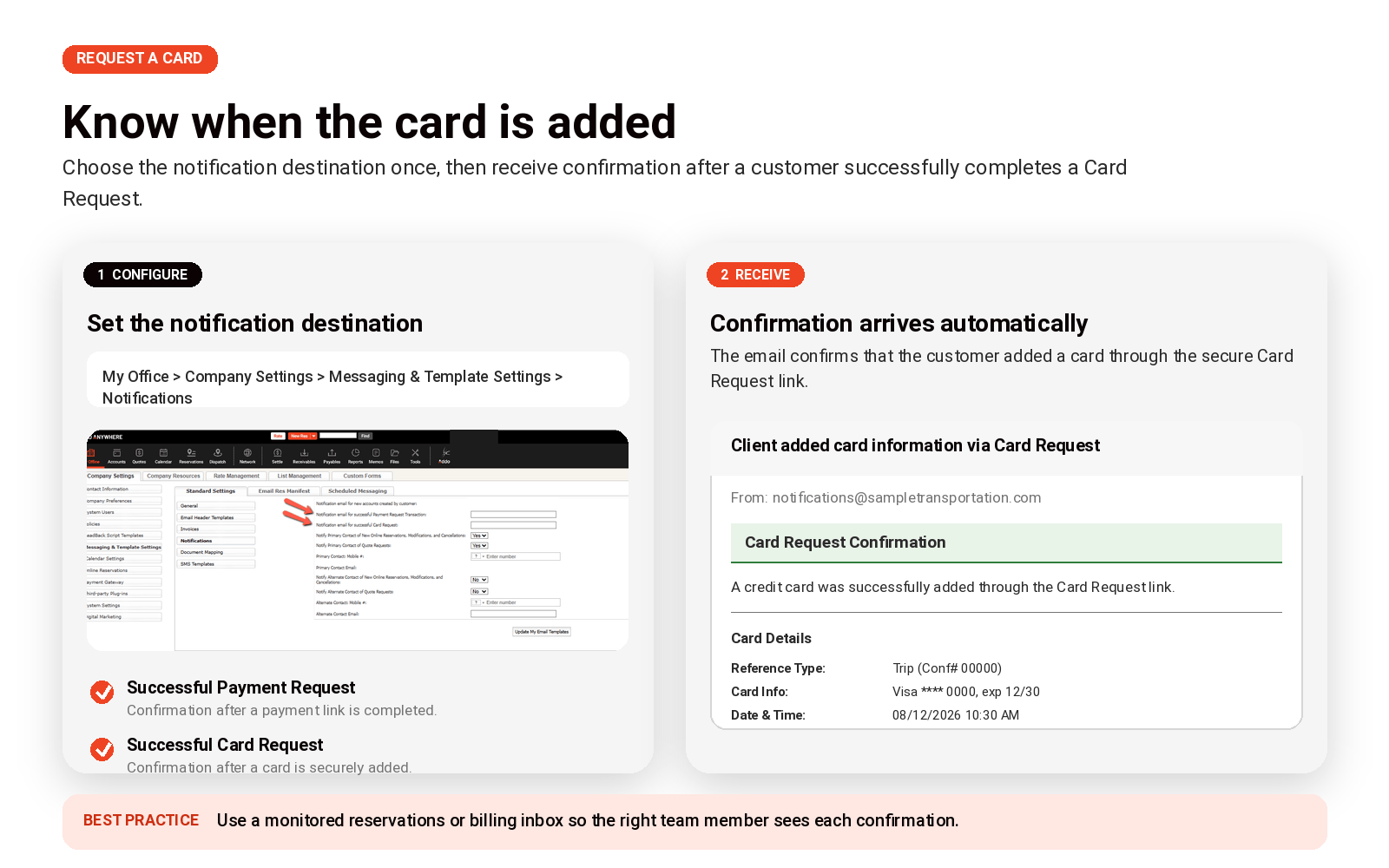
Operators can now configure an email notification for successful Card Requests.
Request a Card lets operators using the LA Pay Gateway send a customer a secure link to add credit card information. A Card Request can be sent from a reservation, an invoice, or the customer account, and the customer enters the card details through the secure link rather than sharing payment information by phone or email.
Once the customer successfully completes the request, the new notification can automatically email a designated operator address to let the team know that the applicable account, trip, or invoice now has a card on file. That gives reservations and billing teams a clear signal that the customer has completed their part and the card is available when it is time to process the charge.
Where to configure it
My Office → Company Settings → Messaging & Template Settings → Notifications
Operators can configure notification destinations for both Successful Card Requests and Successful Payment Requests. We covered the Payment Request workflow in our earlier article, New Payment Request Confirmation Emails in Limo Anywhere.
Recommended setup
Consider routing these notifications to a monitored reservations or billing inbox instead of one individual employee. A shared inbox makes it easier for the next available team member to see that the card is ready.
For broader notification options, review Setting up Email and SMS Notifications in Limo Anywhere.
LA 2.0
More of the modern Limo Anywhere experience is now available in LA 2.0
Limo Anywhere is continuing to modernize the interface customers use every day. The newer experience is available at app.mylimobiz.com, which we refer to here as LA 2.0.
LA 2.0 runs alongside the classic Limo Anywhere experience. Many of the workflows will feel familiar because both experiences connect to the same Limo Anywhere operation, but newer interfaces and product experiences are being introduced in LA 2.0 as we continue moving away from the older UI, UX, and underlying technology.
In this release, the Addons and Policies / Privacy Policy areas are among the latest experiences to receive new LA 2.0 pages. The underlying functionality has not changed; what is new is the updated interface and the ability to handle more of these administrative workflows within the newer experience.
Try LA 2.0 without giving up the classic experience
Use the newest interfaces when they help your team — and switch back when you need to
We encourage operators to spend time in LA 2.0 because that is where the latest interface work is appearing. If a workflow feels unfamiliar or your team prefers the classic view for a particular task, the classic Limo Anywhere interface remains available at manage.mylimobiz.com.
If you have not tried LA 2.0 yet, start with New Dispatch
The New Dispatch Grid is one of the clearest examples of where the LA 2.0 experience is headed. It gives teams a more modern dispatch workspace with features such as saved presets and tabs, Attention Flags, list and map views, and batch editing for multiple trips.
You do not have to rebuild your dispatch process all at once. Start with one useful view your team already needs — such as Today’s Trips, Payments Due, Farm-Out Trips, VIP clients, or a vehicle-specific view — and build from there.
What changed in Addons and Policies?
These are UI/UX modernization updates, not new functionality. The Addons and Privacy Policy experiences now have updated pages in LA 2.0, giving customers more opportunities to stay in the newer interface as Limo Anywhere continues its modernization work.
Email workflow
Resend important emails sooner
Limo Anywhere maintains a safeguard intended to prevent users from accidentally sending the same email repeatedly. The waiting period associated with that safeguard has now been reduced from 30 minutes to five minutes.
Users can resend an email when at least one of these conditions is met:
- Five minutes have passed since the previous email was sent.
- The recipient’s email address has been changed in the Email/Fax Confirmation window.
- Applicable reservation details have been updated.
This gives reservations and customer-service teams more flexibility while preserving protection against immediate accidental duplicates. Staff should still review the recipient, reservation details, forms, and attachments before resending any customer communication.
Operational notice
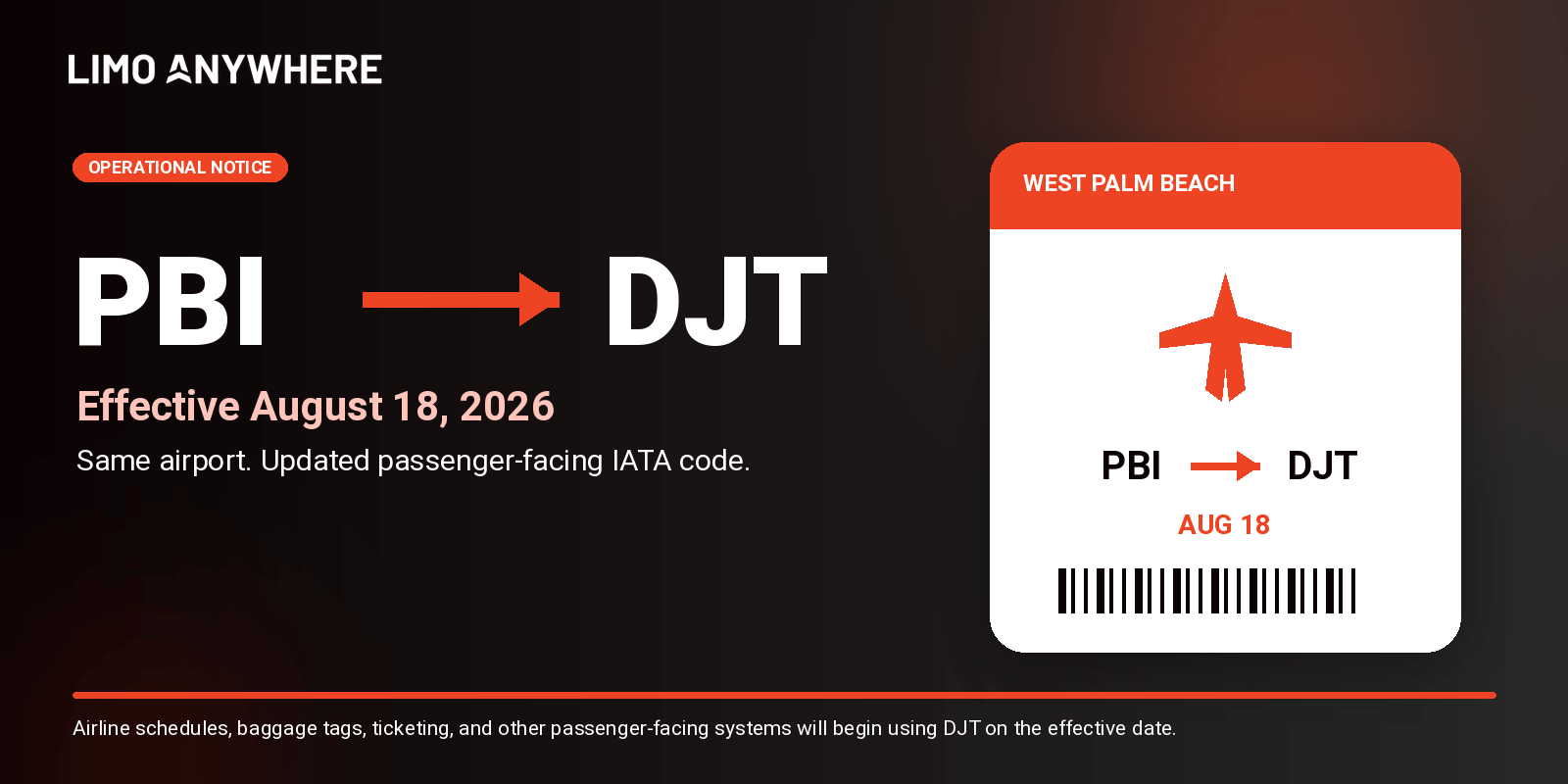
PBI changes to DJT on August 18
President Donald J. Trump International Airport’s passenger-facing IATA code will change from PBI to DJT on August 18, 2026.
Because the passenger-facing code is changing — not just the airport name — this transition matters to reservation, customer-communication, and dispatch workflows. Passengers should continue using PBI when searching for flights, checking baggage information, or viewing airline schedules through August 17. Beginning August 18, airlines and passenger-facing travel systems will use DJT.
The change does not represent a new airport or a change in airport location, routes, schedules, or passenger services. Airport operations will continue normally.
Limo Anywhere’s airport reference information has been updated to reflect the airport’s new name and the scheduled IATA-code transition.
What operators should do
- Review reservations scheduled on or after August 18 that involve the airport.
- Prepare reservations and dispatch staff for customers to use either PBI or DJT during the transition.
- Check saved pickup instructions, templates, and internal documentation that manually reference PBI.
- Continue using PBI for passenger-facing airline information through August 17 and begin recognizing DJT on August 18.
For the latest transition details, review the airport’s official Name Change FAQs.
What to do next
Four quick checks for your team
Reservations & billing
Configure the Successful Card Request notification and route it to the team that needs to know when a card is available to charge.
LA 2.0 users
Spend time at app.mylimobiz.com and try the newer interfaces — especially New Dispatch. Use the classic experience when your team needs it.
Customer-service teams
Make sure staff know the duplicate-email safeguard is now five minutes instead of 30.
South Florida operators
Prepare staff and future reservations for the PBI-to-DJT passenger-code transition on August 18.
Need help?
Explore LA 2.0, review the full release notes, or contact Support
Try the latest Limo Anywhere interfaces, visit the Knowledge Center for setup guidance, or contact our Support team if you have questions about your account.
The goal of these updates is straightforward: give operators better visibility into customer actions, continue moving everyday work into a more modern Limo Anywhere experience, and reduce unnecessary friction in common communication workflows.
Feature availability may vary based on account configuration, package, payment gateway, enabled Addons, and rollout status. If you have questions about an individual workflow, contact Limo Anywhere Support.
Recent Posts

Why Customers Still Call Instead of Booking Online
Friday September 18, 2026
See Limo Anywhere Plus & Black in Action: Webinar Replay
Thursday September 17, 2026