The latest from Limo Anywhere
What’s new at
Limo Anywhere.
New ways to win bookings, manage trips, get paid, and support your team. Explore our latest releases and featured capabilities.
At the show? Ask our team for a walkthrough.
Turn interest into the next booking.
Give customers and key accounts a clearer path from inquiry to reservation.
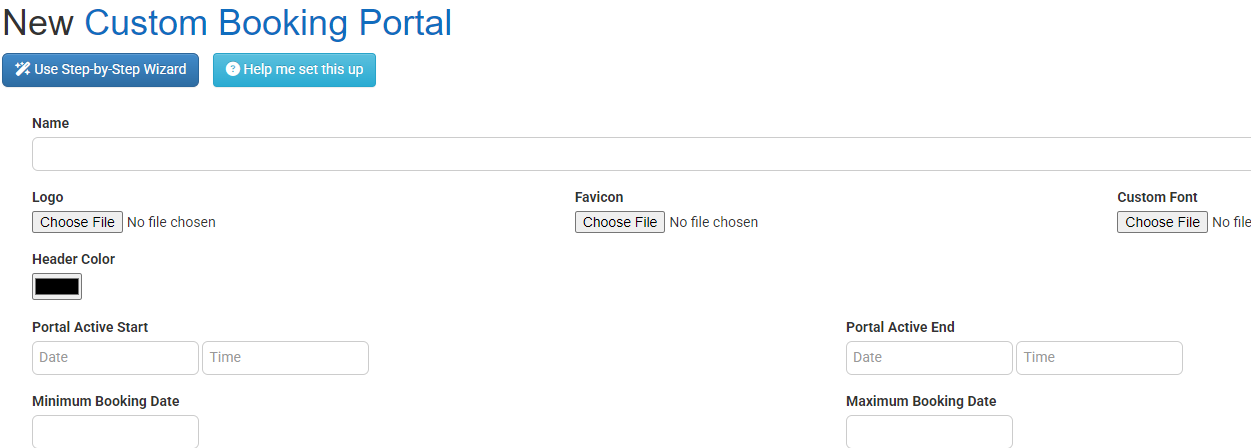
Custom Booking Portals
Give corporate teams, hotel concierges, and event guests a branded way to book. Configure the experience around each account, then receive reservations in Limo Anywhere.
- Share a hosted booking link or embed the portal.
- Control accounts, vehicles, locations, and booking rules.
- Enable permitted trip changes, tracking, and history.
Inside Custom Booking Portals
 View the Custom Booking Portals guide →
 View the feature guide →
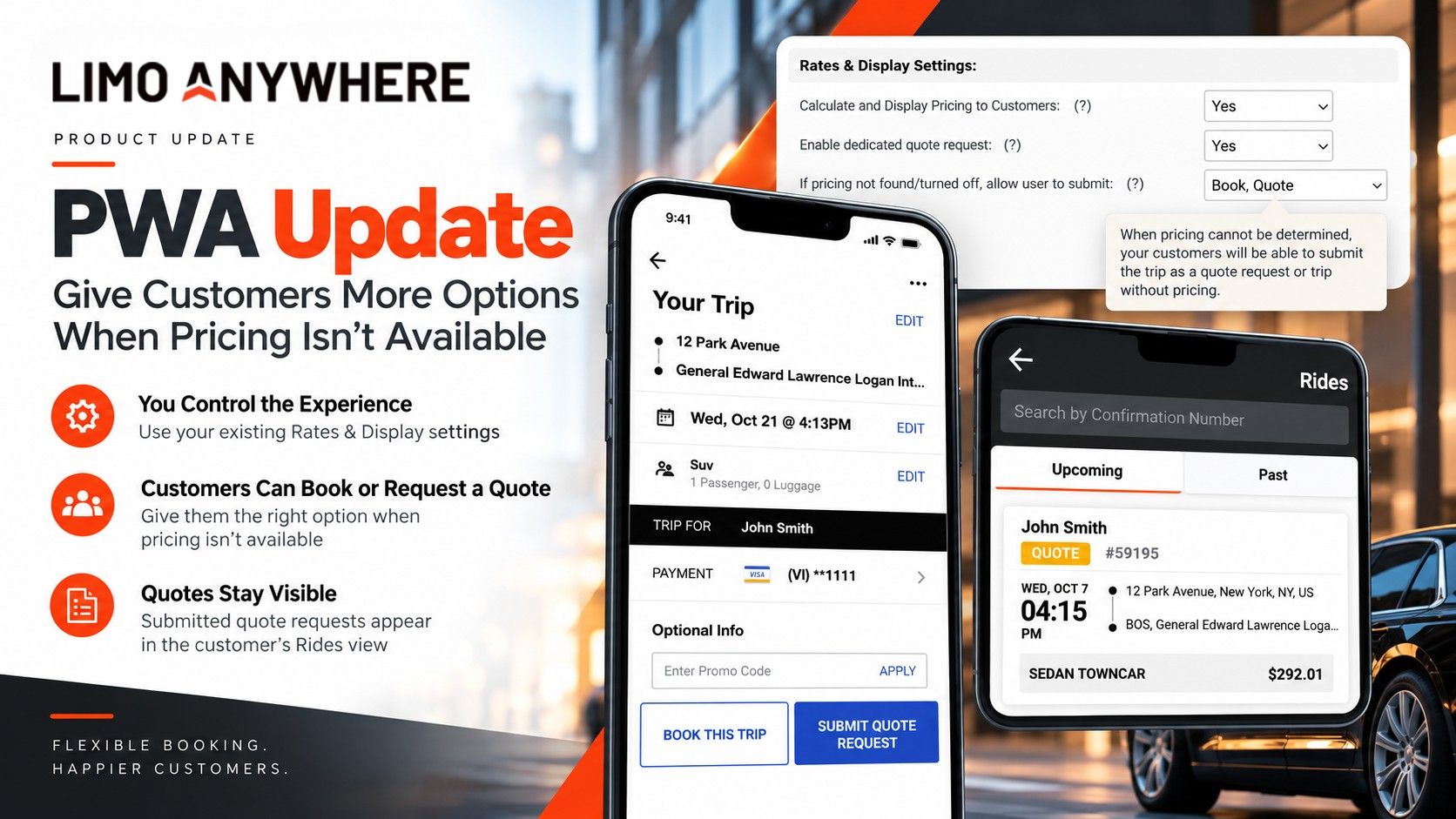
Quote requests in the Passenger Web App
Keep the conversation moving when an instant price is unavailable. Customers can submit a quote request and see it clearly labeled in their Rides view.
Follows your existing Rates & Display settings.
Explore PWA quotes View the feature guide →
LQC AI Sales Agent
Help website visitors ask questions, receive quotes, and move toward a booking. Recent refinements improve round-trip quoting, staff handoffs, and booking attribution.
Requires LQC and the appropriate chatbot configuration.
Explore the AI Sales AgentSee more. Stay in control.
Bring the trip record, daily priorities, and affiliate communication into focus.
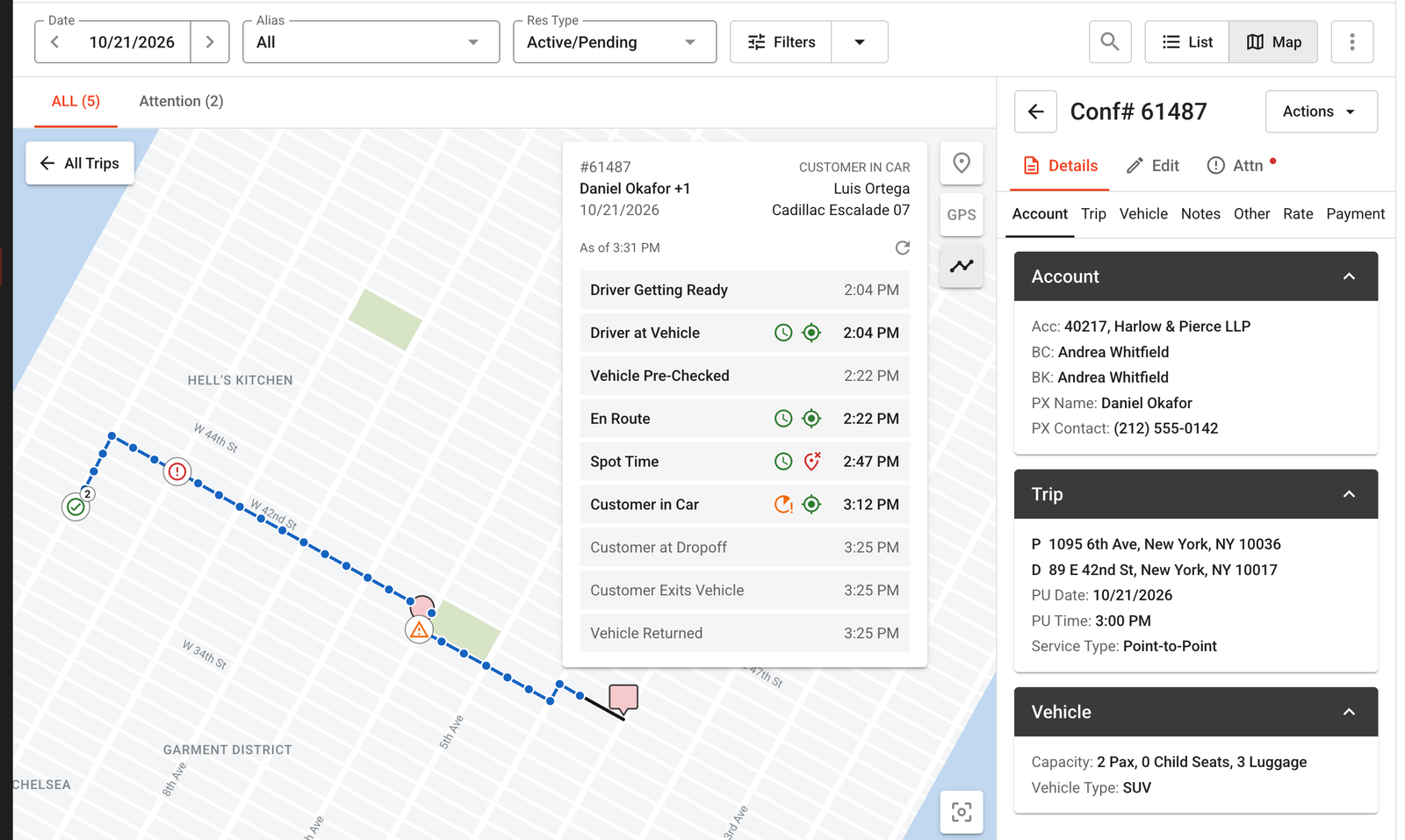
Trip Timeline
See planned times, recorded trip statuses, and available GPS locations together on the LA 2.0 Dispatch map.
- Compare when and where a trip step was recorded.
- Review the available GPS trail and trip history.
- Add context to service reviews and driver coaching.
 See the Trip Timeline guide and examples →
 View the feature guide →
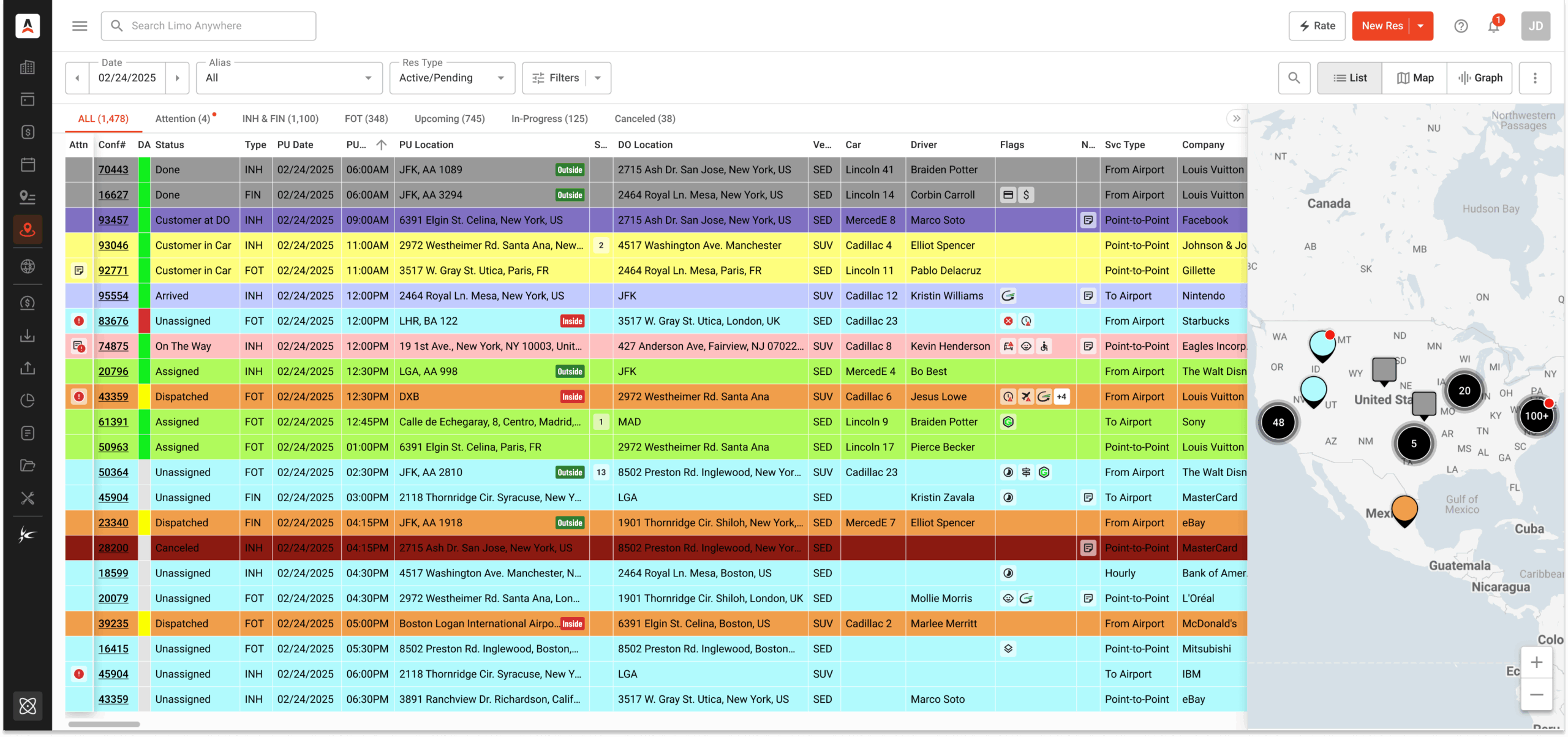
New Dispatch Grid
Make the workspace your own with saved views, flexible columns, list and map views, and Attention Flags. Use Batch Edit for supported updates across selected trips.
Classic Dispatch remains available. Some advanced monitoring features require Black.
Explore New Dispatch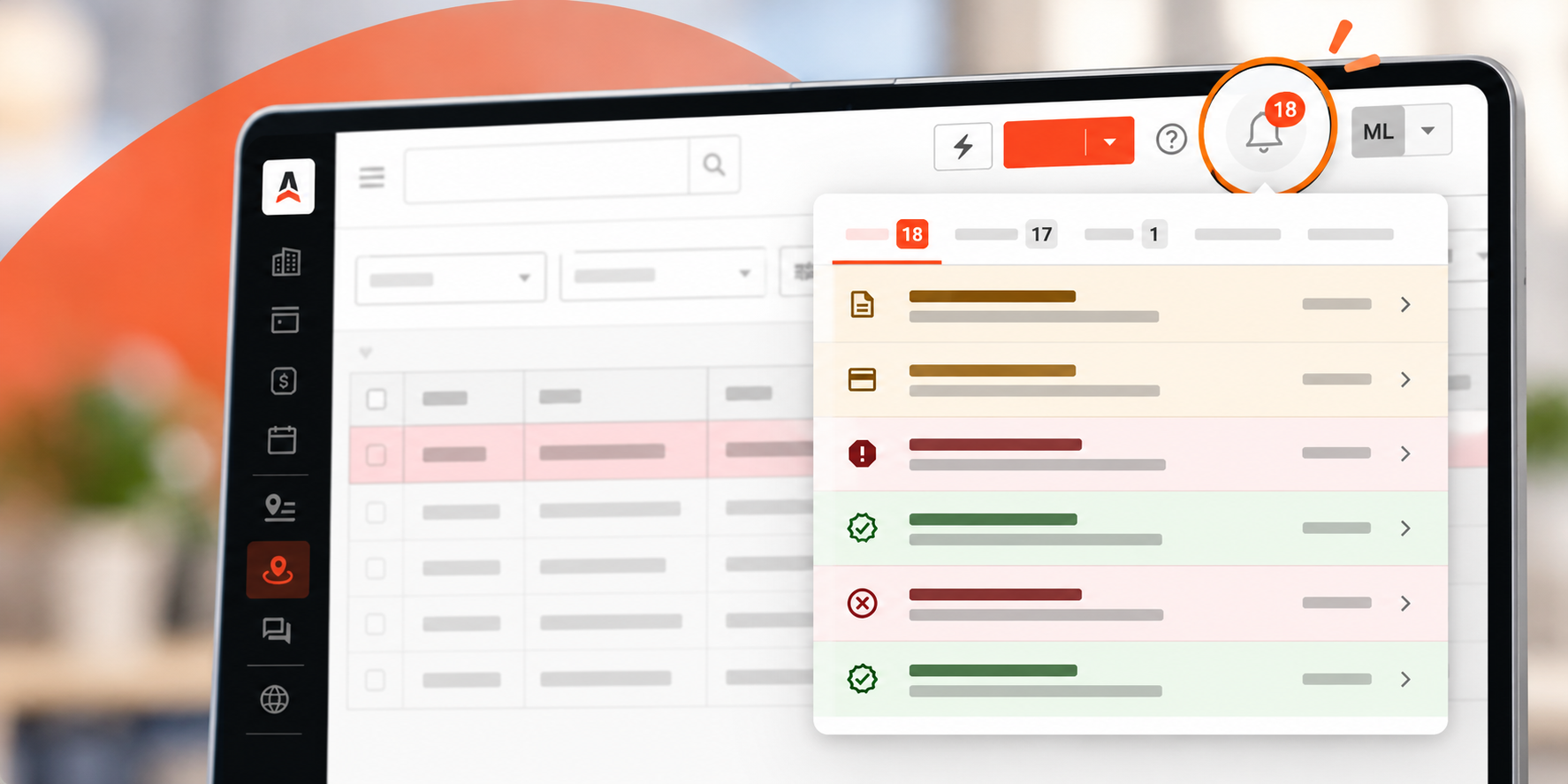 View the feature guide →
LA 2.0 System Notifications
Bring pending reservations, affiliate responses, unsettled-trip alerts, and inbound Messaging Manager messages into one notification panel.
No additional charge for System Notifications. Alerts depend on your settings and enabled tools.
See the notification update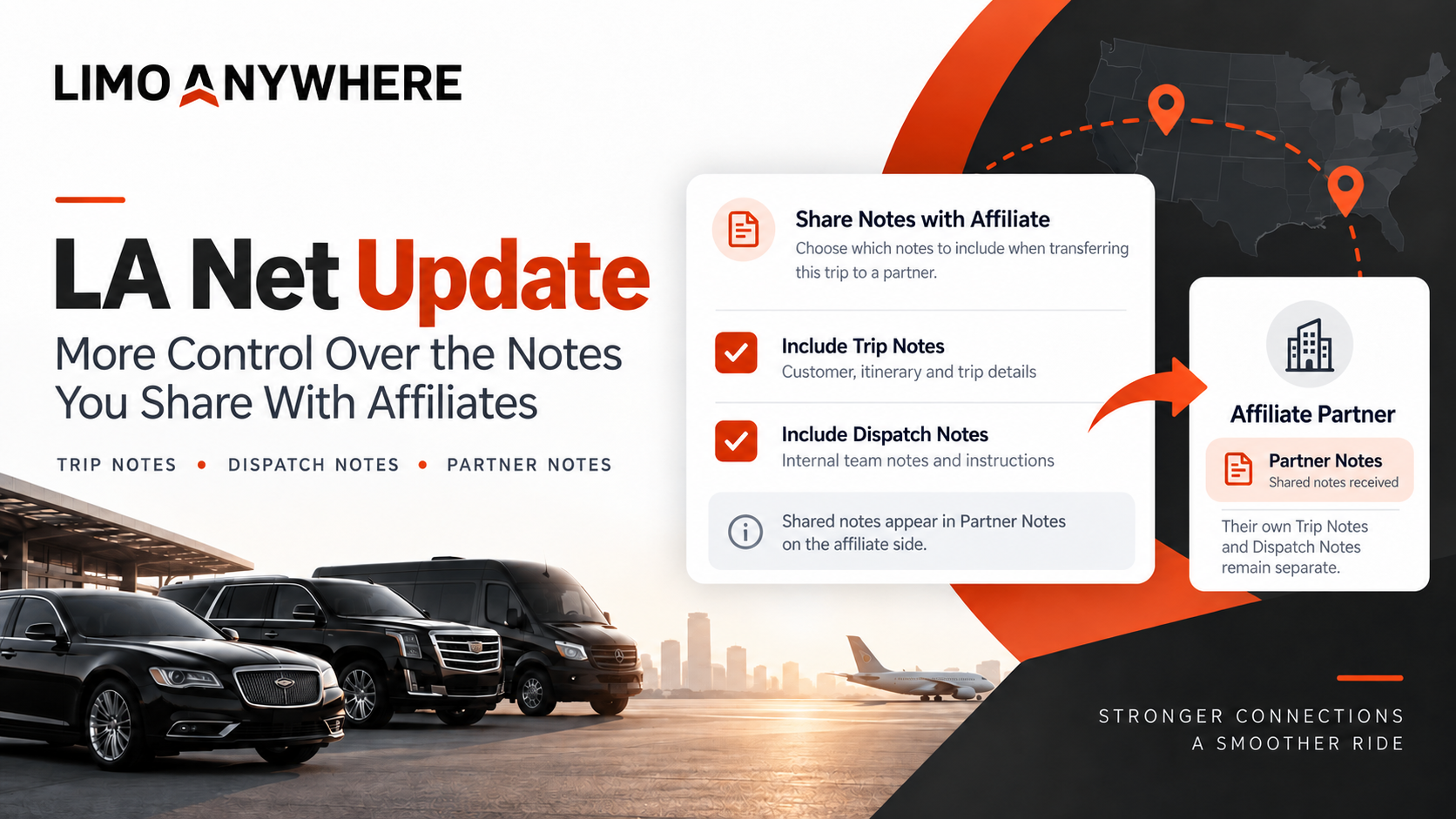 View the feature guide →
LA Net affiliate notes
Choose whether to share Trip Notes, Dispatch Notes, or both. Incoming notes appear in Partner Notes, separate from the receiving team’s own working notes.
Partner Notes are read-only for the receiving operator and can reflect updates from the originator.
See the LA Net updateMore ways to complete the payment.
Add flexibility for passengers and keep the payment record connected to your operation.
 View the feature guide →
Tap to Pay on iPhone
Accept supported contactless cards and digital wallets directly in Driver Anywhere for iOS. No separate card reader is needed.
Requires LA Pay, a compatible iPhone, operator activation, and driver payment permissions.
Explore Tap to Pay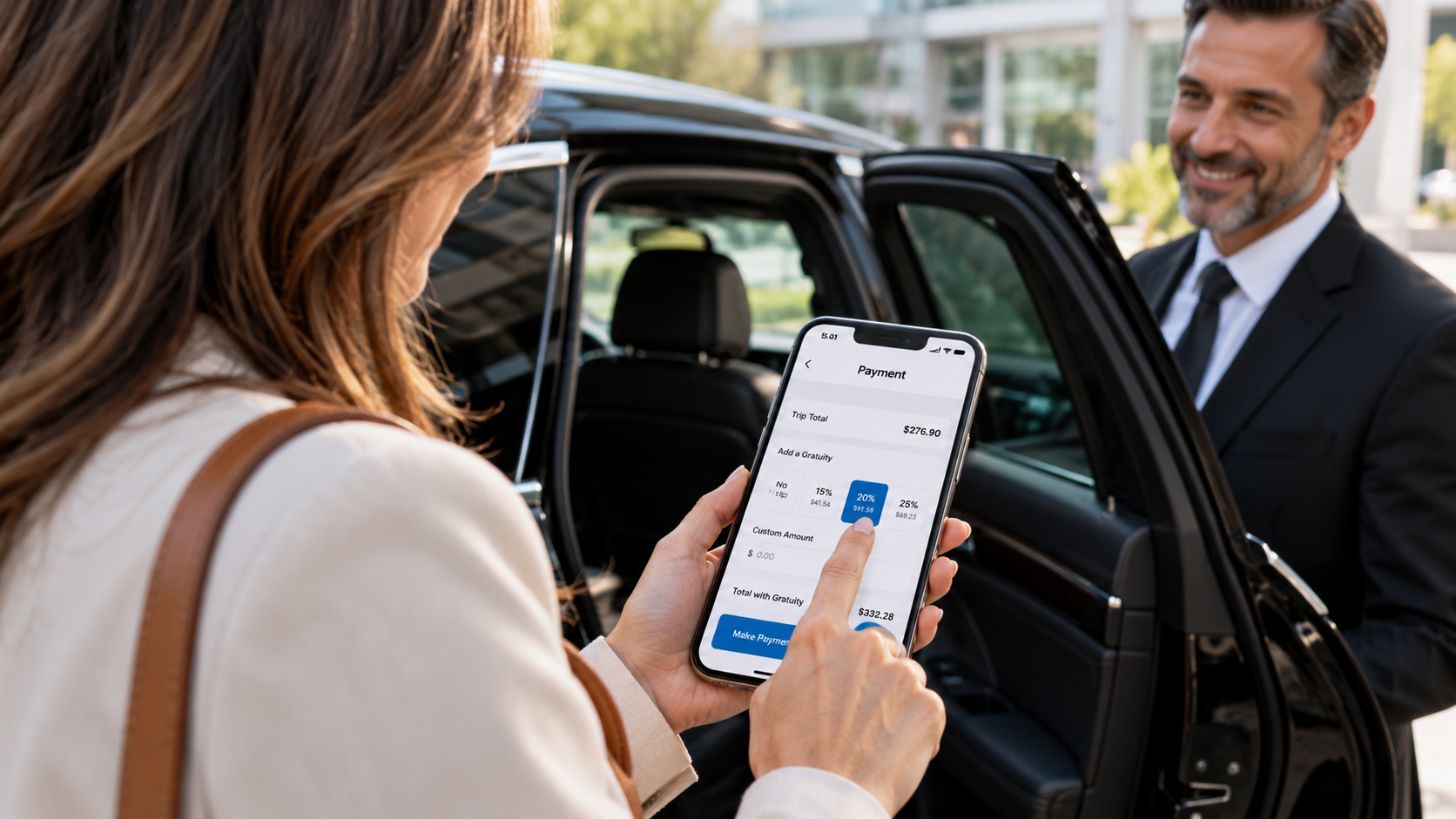 View the feature guide →
Driver Gratuity
Let passengers choose a preset tip, enter a custom amount, or select no tip during payment. Gratuity is recorded separately for receipts and settlement workflows.
iOS and Android; all supported payment gateways. Enable the feature and use a supported app version.
See how gratuity works View the feature guide →
ACH payments with LA Pay
Give customers a bank-account payment option. Send a secure request for a payment or collect authorization for future billing directly in Limo Anywhere.
Requires an established LA Pay merchant account. ACH can take several business days to process and may be returned.
Explore ACH paymentsBuild the connections behind your growth.
Connect partner trips and explore services that support the work around every ride.
 View the feature guide →
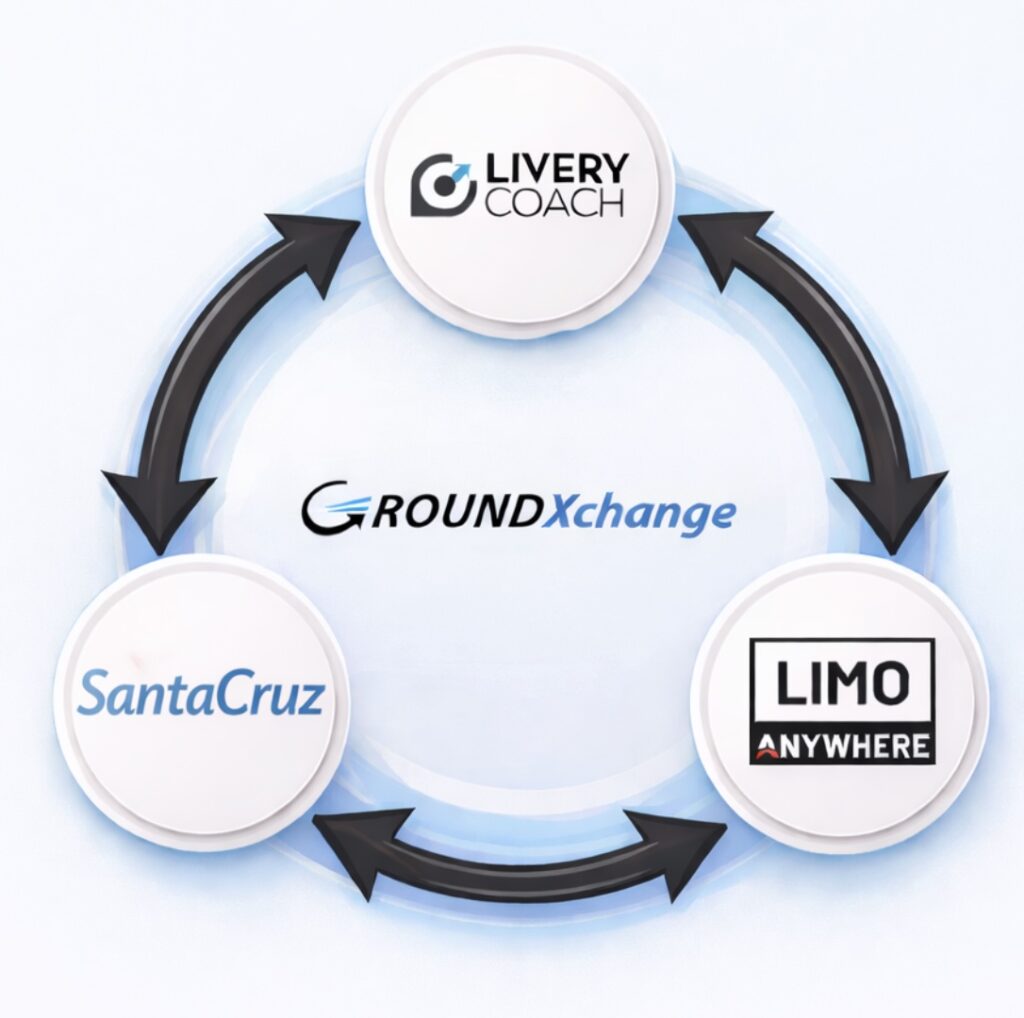
GroundXchange
Exchange affiliate trips with connected SantaCruz and Livery Coach operators. Share trip updates, driver and vehicle details, GPS visibility, and final charges at closeout.
Registration, approval, and platform mappings are required.
Explore GroundXchange View the feature guide →
Holiday Taxis integration
Bring Holiday Taxis bookings into Limo Anywhere and send driver, vehicle, and trip updates back. Choose automatic acceptance or review bookings before importing.
Requires a Holiday Taxis supplier account and API access. New bookings and changes are checked every 15 minutes.
See setup and pricingGroundOps for Limo Anywhere
Cover nights and weekends with Limo Anywhere-trained agents working in your system and following your procedures. Get support for reservations, trip monitoring, and driver and customer communication.
Separately contracted services. Scope, hours, availability, and pricing are confirmed with GroundOps.
Explore GroundOpsCareer Driver partnership
Learn about the Career Driver partnership and discuss it with the Limo Anywhere team at the show.
Contact our team for partnership details.
Talk to our teamLet’s put it to work
Find the right next step
for your operation.
Tell us what you want to improve. We’ll help you explore the features, plans, and services that fit your business.